YouTube Studio PLR Lead Magnet Kit
in Branding PLR , Business Coaching PLR , Business Coaching PLR Ebooks , Business PLR , Business PLR eBooks , Content Marketing PLR , Content Marketing PLR eBooks , Conversions PLR , Info Product Creation PLR , Internet Marketing PLR eBooks , Make Money PLR , Marketing PLR , Marketing PLR Ebooks , Membership Sites PLR , Mobile Marketing PLR , Niche Marketing PLR , Niche Marketing PLR Ebooks , Online Business PLR , Online Marketing PLR Ebooks , PLR Audio , PLR Autoresponder Series , PLR eBooks , PLR eCourses , PLR Lead Magnets , PLR List Building Reports , PLR List Building Reports , PLR Minisite Templates , PLR Newsletters , PLR Squeeze Page Templates , PLR Templates , Pre Written Autoresponder Messages , Private Label Rights Products , Products with Squeeze Pages , Resell Rights Autoresponder Series , Resell Rights Lead Magnets , Resell Rights List Building Reports , Resell Rights Minisite Templates , Resell Rights Products , Resell Rights Squeeze Page Templates , Sales Funnels PLR , Social Media PLR , Social Media PLR Ebooks , Templates , Templates PLR , Traffic PLR , Video Marketing PLR , Video Marketing PLR Ebooks , YouTube PLR , YouTube PLR EbooksChoose Your Desired Option(s)
has been added to your cart!
have been added to your cart!
#youtube #youtubeplr #youtubestudio #videoediting #videouploads #youtubeoptimization #youtubecomments #youtubesettings #youtubeguides #youtubestudioguides #youtubestudiofeatures #youtubememberships #paidmemberships #youtubetips #videoplatforms #youtubeusers #socialmediaplr #leadmagnet #emailsplr #plrreport #autoresponders #growyourchannel #youtubedashboard #youtubemobile #appsplr #playlistsplr
YouTube Studio PLR Lead Magnet Kit
How Would You Like To Own Your Own High Converting YouTube Studio PLR Lead Magnet with Ready-to-go Squeeze Page So You Can Start Building Your List In The Online Marketing Niche?
This Is Your Chance To Grab A Completely Done-For-You YouTube Studio PLR Lead Magnet That You Can Setup And Start Sending Traffic To In Order To Build Your Biggest Business Asset…Your Email List!
Introducing The…
YouTube Studio PLR Lead Magnet Kit
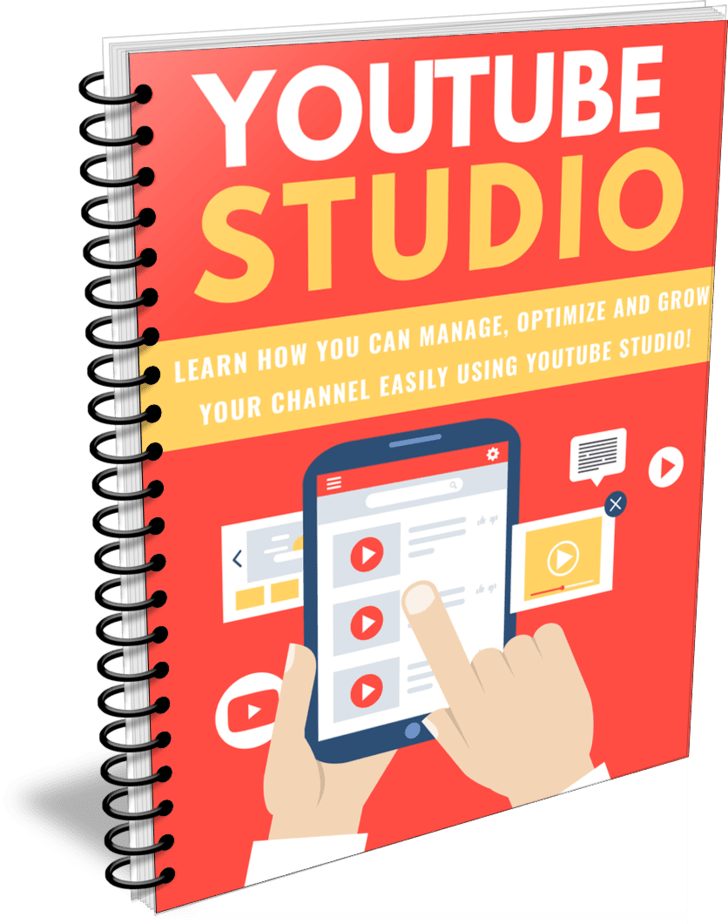
A High Quality Lead Magnet With Private Label Rights Consisting of 3574 words that includes a done-for-you HTML Squeeze Page and 7 Ready-to-go Autoresponder Follow-up Emails.
Screenshot Inside the YouTube Studio PLR Lead Magnet Report:

Table of Contents
Introduction………………………………………………………………………………. 5
Getting Started………………………………………………………………………….. 7
Uploading Videos…………………………………………………………………….. 12
Editing Videos…………………………………………………………………………. 15
Using Analytics to Grow Your Channel……………………………………… 21
Managing Comments………………………………………………………………. 27
Conclusion………………………………………………………………………………. 32
Resources………………………………………………………………………………… 33
Sample Of The Content Inside The YouTube Studio PLR Lead Magnet:
Introduction
YouTube Studio is where you can manage your YouTube channel. Everything you need is all in one place for your convenience.
Upload and edit videos, manage your live feeds, see analytical information about who is watching your videos, see and respond to your comments, and handle your settings.
There’s also a monetization section if you are part of the YouTube Partner Program. They also have an audio library which gives you free music to upload for your videos.
However, before you begin using YouTube Studio, you’ll need to create a YouTube account. This is super simple to set up. Just go to YouTube and click on “Sign In” at the top right. Click “Create Account” and choose “For Myself” or “To Manage My Business.”
That’s all there is—you can set up everything else later on if you want a profile picture, etc. Now you can create YouTube channels and manage them using YouTube Studio!
But that’s only the first step in utilizing all of YouTube Studio’s powerful features. In this special report, we’ll take a deep-dive into YouTube Studio and show you everything you need to know.
Are you ready to master YouTube Studio?
Let’s begin!
Getting Started
You can navigate to YouTube Studio using two basic methods. If you’re on another website, just type “studio.youtube.com” in your browser window and click “enter.”
If you’re on YouTube already, click on your profile picture at the top right and you’ll see a drop-down menu. “YouTube Studio” will be underneath “Your Channel” and “Paid Memberships.”
Just click on it and you’ll find yourself on your Dashboard.
Your Dashboard has everything you’ll need to manage your channels. If you look at the left-hand column, you’ll see several icons.
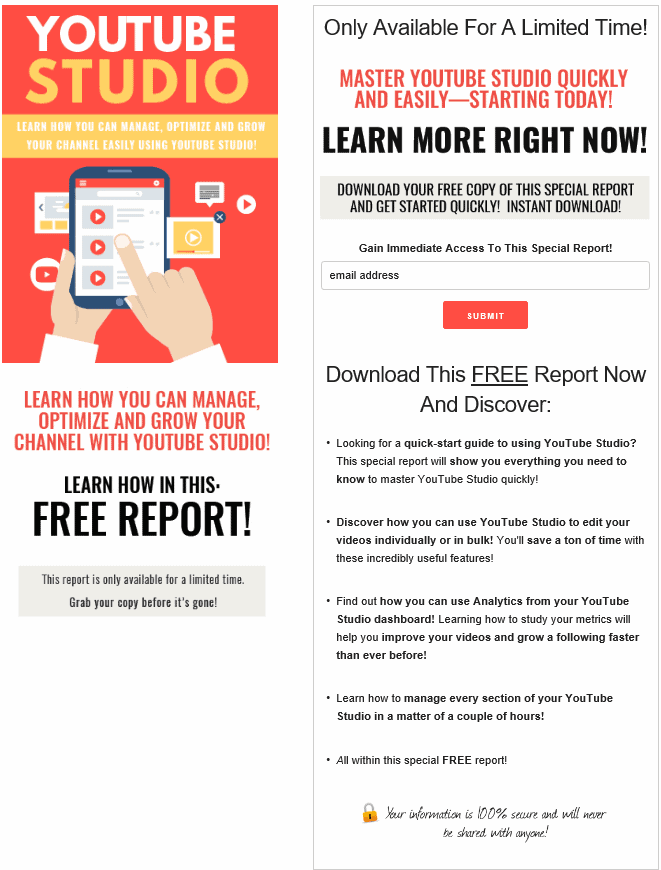
You’ll also be getting a high converting squeeze page that you can use to build your list!
Screenshot of the HTML Squeeze Page Included:
You’ll also be getting 7 done-for-you PLR follow-up emails that you can pop into your Autoresponder and start sending to your new subscribers immediately after they join your email list!
Sample of these YouTube Studio PLR follow-up Autoresponder Messages:
Subject: The YouTube Studio Mobile App
Hi there!
In this email series, we’ll be talking about YouTube
Studio.
In case you aren’t all that familiar with it, YouTube
Studio is an application that gives you access to important
tools that will help you manage, maintain and ultimately
grow your channel.
Today, we’ll take a look at the YouTube Studio mobile app.
The mobile app is designed to let you keep up with your channels
on the go so you can stay connected (and productive) from anywhere
you happen to be.
The YouTube Studio app is separate from the main YouTube app
that allows you to watch videos on your mobile device.
It’s designed specifically for you, the creator.
First download the app from Google Play or the App Store, then
sign in to get to your Dashboard.
Here, you can get a look at your subscriber count, some
analytics, and insights for your latest video performance.
You’ll also see your most recent uploads, recent comments,
and any known YouTube issues.
From the overview, you can dive into any section by tapping
the box or “view more.”
At the top of the Dashboard, you’ll also see the menu option
(three horizontal lines) on the left side and the notifications
and account icons on the right.
The menu icon pulls up other pages you can explore in YouTube
Studio, like Videos, Playlists, Analytics, Comments, etc.
These work just like the pages on the original YouTube Studios.
For example, on the Video page, you can see an overview of
all your videos, then click on an individual video to see details.
You can share the video or edit it (the pencil icon), changing the
title, description, visibility, etc.
With comments, you can filter them by “published,” “held for review,”
or “likely spam.” When comments are published, you can reply or
hit the menu button and report or delete them.
The analytics page will allow you to look further into your
video and channel data, like real-time views, watch time, impressions,
traffic sources, and even more.
Just tap the cards to view data for different date ranges. You can
change that, too, just like on the computer.
Across the top of your YouTube Studio mobile app, you’ll see two more
icons: notifications and the account icon (a little camera).
The notifications icon leads you to any alerts you may have for
your channel or videos.
This may be notable subscriber growth or getting comments.
Tapping the gear icon at the top allows you to enable or disable
notifications on the mobile app. You can also customize so you
get only the notifications you really want.
You can clear them by swiping each one to the right, or in bulk
by tapping the menu at the top right and hitting “clear all
notifications.”
Your account icon allows you to switch accounts, manage your
settings, send feedback, get help, or go to the YouTube main
app.
Tomorrow, we’ll talk about “Advanced Mode” analytics in YouTube
Studio.
Until then,
[Your Name Here]
These 7 youtube studio PLR emails have a total word count of: 3200 words
Don’t miss out on this chance to grab YOUR OWN rebrandable YouTube Studio PLR Lead Magnet that is done-for-you and ready for you to insert your affiliate links to start building your list and earning affiliate commissions.
Grab it now for a very low price of only $4.99!
Package Details:
– 1 Lead Magnet Report (PDF, DOC),
Report Word Count: 3574 words
– 7 Part Autoresponder Email Messages (TXT)
Autoresponder Email Messages Word Count: 3200 words
– 1 Squeeze Page (HTML)
– File Size: 4MB
PLR License Terms:
PERMISSIONS: What Can You Do With These Materials?
[YES] Can be sold
[YES] Can be used for personal use
[YES] Can be packaged with other products
[YES] Can modify/change the sales letter
[YES] Can modify/change the main product
[YES] Can modify/change the graphics and ecover
[YES] Can be added into paid membership websites
[YES] Can put your name on the sales letter
[YES] Can be offered as a bonus
[YES] Can be used to build a list
[YES] Can print/publish offline
[YES] You Can Rebrand, Rename, Redesign The Product and Create New Graphics to Call It Your Own.
[YES] You Can Add This Product to a Membership Site or Bundled Within a Product Package as a Bonus.
What You CANNOT Do With These Materials?
1 – You CANNOT sell this product as your own PLR or in your PLR store.
2 – You CANNOT submit any of the content provided by Buy Quality PLR to reprint article directories or other websites which accept reprint content even if you have edited or reworded the content.
Why? Because many article directories won’t take PLR articles. If everyone started submitting similarly written articles to these directories it wouldn’t be fair for the directory owners, their users or our members. Be fair to everyone involved and don’t do it, even if you feel you’ve edited or reworded the article.
3 – You CANNOT sell this product with a PLR, MRR or Resell Rights License.
Share Now!
Latest Products





Free Sales Funnel Builder

Related Products

Popular & Trending


Featured Products