How to Write a Resume PLR Course 18k Words
in Copywriting PLR , PLR eCourses , PLR List Building Reports , Premium PLR , Premium PLR Reports , Premium White Label Brandable PLR Coaching Courses , Private Label Rights ProductsChoose Your Desired Option(s)
has been added to your cart!
have been added to your cart!
#resumewriting #plrcourse #careersuccess #jobsearchtips #professionaldevelopment #careercoaching #plrcontent #digitalproducts #writing #workskills
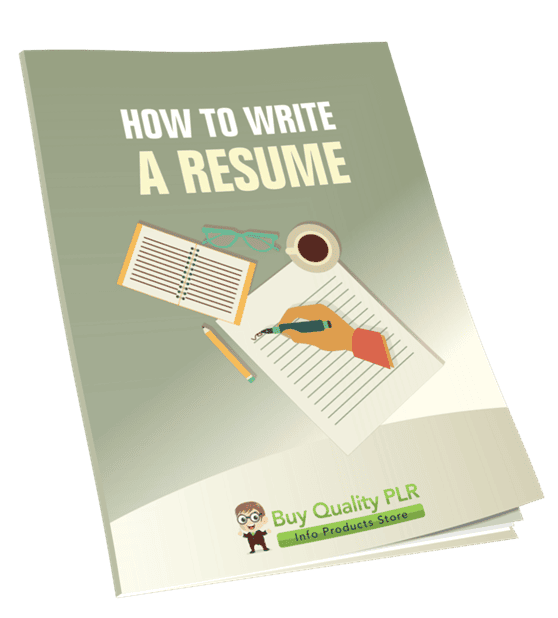
How to Write a Resume PLR Course – 18,000 Words
Create Resumes That Get Noticed – Step by Step
Whether your audience is just starting their career or looking to update an old resume, the How to Write a Resume PLR Course gives them everything they need to craft professional, impactful resumes that stand out to employers.
This 18,000-word turnkey course guides learners through every step of resume writing—from basic formatting to polishing a resume that opens doors. It’s perfect for career coaches, educators, PLR entrepreneurs, or anyone looking to offer value in the career development niche.
Introducing the…
How to Write a Resume
Why This Course Matters
A well-written resume is the key to landing interviews and securing jobs, yet many people struggle to present their skills and experience effectively.
This course teaches your audience how to:
- Highlight their best skills and achievements
- Choose the right format for any job
- Tailor resumes to job postings for better results
- Avoid common mistakes that cost interviews
- Include optional cover letters that impress employers
With simple, actionable steps, learners finish the course with a resume that truly represents their professional value.
Course Modules: Step-by-Step Breakdown
Module 1: Getting Started – Understand the Resume Basics
Goal: Build a solid foundation and know exactly what makes a great resume.
- Step 1: Know What a Resume Is (and Isn’t)
Understand that a resume is a concise, tailored document showcasing skills, experience, and achievements. - Step 2: Choose the Right Resume Type for You
Compare chronological, functional, and combination formats to select the best fit. - Step 3: Set Up a Clean and Professional Layout
Learn font, spacing, and section strategies to make resumes easy to read and professional. - Step 4: Gather All Your Career Information
Collect job history, skills, education, and achievements to streamline the writing process.
Module 2: Crafting Your Resume Header and Summary
Goal: Make the first impression count with a clear, compelling introduction.
- Step 1: Create a Simple Header with Contact Info
Include your name, phone, email, and LinkedIn neatly—without unnecessary personal details. - Step 2: Write a Catchy Professional Summary
Craft a 2–3 sentence elevator pitch that shows who you are and your career goals. - Step 3: Tailor Your Summary to the Job
Learn how to customize your summary for each position, showing you’re the perfect fit. - Step 4: Avoid Common Mistakes
Identify unprofessional emails, buzzwords, and vague language that weaken a resume.
Module 3: Writing Your Work Experience Like a Pro
Goal: Showcase achievements, not just duties, to impress employers.
- Step 1: List Jobs in Reverse Chronological Order
Keep job entries clear, consistent, and easy to read. - Step 2: Use Strong Action Verbs and Numbers
Quantify accomplishments to demonstrate measurable impact. - Step 3: Highlight Achievements, Not Just Duties
Show how you made a difference in previous roles. - Step 4: Handle Gaps and Short-Term Jobs with Confidence
Learn professional ways to address employment gaps or frequent transitions.
Module 4: Showcasing Your Skills and Education
Goal: Optimize sections for maximum impact and ATS compatibility.
- Step 1: List Your Most Relevant Skills
Combine hard skills (software, technical abilities) and soft skills (communication, teamwork). - Step 2: Use Keywords from the Job Posting
Ensure your resume passes applicant tracking systems (ATS) and reaches recruiters. - Step 3: Write Your Education Section Clearly
Include degree, school, and graduation date—highlight relevant courses if needed. - Step 4: Include Certifications, Training, or Courses
Showcase professional growth through certifications, online courses, and workshops.
Module 5: Final Touches – Polish, Customize, and Send
Goal: Finish strong with a polished, professional resume.
- Step 1: Proofread for Typos and Grammar
Avoid costly errors using tools and tips for flawless resumes. - Step 2: Customize for Each Application
Learn how small tweaks make resumes job-specific and effective. - Step 3: Save and Send in the Right Format
Determine when to use PDF vs. Word, and file naming conventions. - Step 4: Add a Matching Cover Letter (Optional but Powerful!)
Optional cover letters can boost your chances, and we show how to write one that complements your resume.
✅ End Result
By the end of this course, learners will have:
- A professional, tailored resume that represents their best self
- Confidence applying for jobs in any industry
- The skills to customize resumes for each opportunity
- A polished optional cover letter template to accompany applications
Perfect for career starters, job changers, freelancers, and anyone who wants more interviews and better job opportunities.
Bonus Materials Included
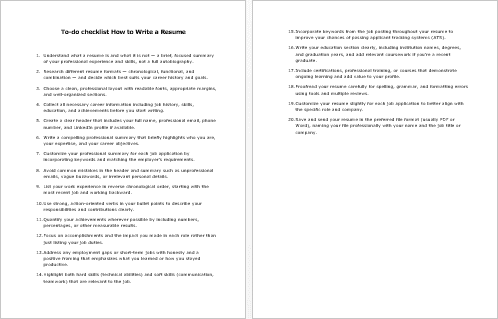
- Checklist – 385 Words: Quick reference guide for creating resumes efficiently
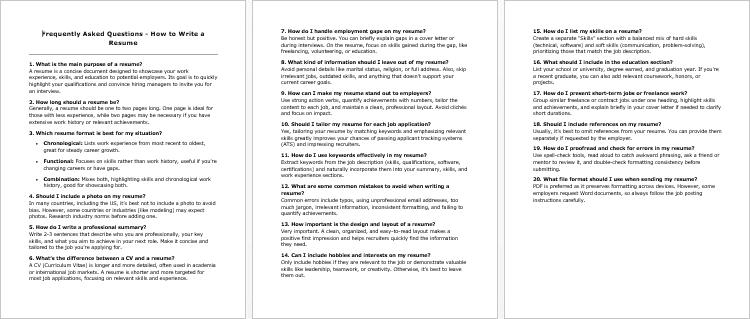
- FAQs – 756 Words: Common questions and expert answers about resume writing
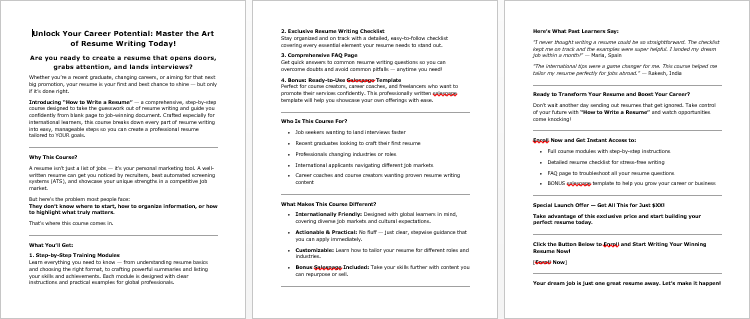
- Salespage – 595 Words: Ready-to-use sales copy for promoting this course immediately
Who Can Profit From This PLR Course?
- Career coaches and HR consultants looking for ready-to-sell courses
- PLR entrepreneurs wanting actionable content in the career niche
- Educators and trainers who want turnkey material for students or clients
- Bloggers and marketers creating lead magnets or premium guides
How to Use and Profit From This PLR Course
- Sell the full course as-is for $197–$497
- Create a multi-week eClass for $297–$497 access
- Break it into mini-guides or reports ($10–$20 each)
- Bundle with other career or job-hunting PLR products ($47–$97)
- Setup a membership site for recurring revenue
- Convert to audio or video formats for additional monetization
- Use excerpts as lead magnets for email lists or social media
- Build a website around this course and flip it for profit
Licensing Terms: What You Can and Cannot Do
You CAN:
- Sell with minor edits or rebranding
- Rewrite 75%+ to claim copyright
- Break into smaller guides, e-classes, or membership content
- Bundle with other PLR products
- Use excerpts for blog posts, lead magnets, or email campaigns
You CANNOT:
- Pass PLR rights to your customers
- Offer 100% affiliate commissions (max 75%)
- Give away the full course for free
- Include in existing orders without requiring purchase
Why Buy Quality PLR?
- Professionally written 18,000-word course
- Ready-to-sell, teach, or repurpose content
- Bonus materials for instant delivery and marketing
- High-demand, evergreen niche: career development and resume writing
The Bottom Line
The How to Write a Resume PLR Course is a turnkey solution for career-minded audiences. From writing resumes to optional cover letters, your learners will walk away with polished documents ready to land jobs.
Save time, teach effectively, and monetize quickly—this PLR course is perfect for entrepreneurs, educators, and marketers in the career development space.
Take Action Today
Available now at Buy Quality PLR – help your audience write resumes that get noticed and secure more interviews.
Learn. Apply. Land the Job. Profit.
has been added to your cart!
have been added to your cart!
Here A Sample of the How to Write a Resume PLR Course
Welcome to “How to Write a Resume”! Whether you’re just starting out or updating an old resume, this course will walk you through every step in a simple and friendly way. You’ll learn how to write a resume that truly represents your skills and helps you stand out to employers.
Module 1: Getting Started – Understand the Resume Basics
Step 1: Know What a Resume Is (and Isn’t)
(For international course creators delivering professional training content)
Step 1: Know What a Resume Is (and Isn’t)
Objective of this Step:
To help learners clearly understand the purpose, structure, and function of a resume — what it is meant to include, what it should exclude, and how it differs from other documents like a CV or cover letter. This foundation is essential before moving into resume writing.
Course Instruction & Description:
As we begin this journey of building a strong, effective resume, it’s essential to start with a solid understanding of what a resume actually is — and what it isn’t.
Many job seekers, especially those new to the workforce or transitioning careers, often treat the resume as an exhaustive list of everything they’ve ever done professionally. This is a common mistake. So let’s break this down clearly and deliberately.
What a Resume Is
A resume is a strategically tailored, one- to two-page document that presents a snapshot of your most relevant professional experience, education, and skills for a specific role or industry. It is:
- Targeted: It should align with a particular job or type of job. A resume is not “one size fits all.”
- Concise: It summarizes your qualifications without unnecessary detail. Think of it as a highlights reel.
- Organized: It follows a standard layout with defined sections such as: Contact Information, Summary, Work Experience, Skills, and Education.
- Professional: It uses clear language, consistent formatting, and correct grammar and spelling.
Think of a resume as your marketing document — it’s designed to sell your value to employers quickly. Most hiring managers spend just 6–10 seconds skimming a resume before deciding whether to read more. Therefore, clarity and relevance are key.
What a Resume Isn’t
It’s equally important to understand what a resume should not be. A resume is not:
- A detailed autobiography: You don’t need to list every job you’ve ever had, every task you performed, or personal experiences that don’t apply to the job.
- A CV (Curriculum Vitae): In many regions, particularly in Europe, the Middle East, Africa, and parts of Asia, the term CV is used interchangeably with resume. But for international clarity, especially in countries like the United States and Canada, a CV is a much longer, more detailed document primarily used in academia, research, or medicine.
- A creative writing piece: Stick to straightforward, professional language. Avoid overused phrases like “go-getter” or “hard-working individual” unless you can back them up with results.
- A one-time document: A resume should be revisited and updated regularly to match the roles you’re applying for.
Why This Step Matters
Understanding what a resume is — and isn’t — gives you clarity and focus for everything that follows in this course. When learners start resume writing without this clarity, they often:
- Include too much irrelevant or outdated information
- Create documents that are too long or too vague
- Use incorrect formatting or structure for the job market they’re targeting
This foundational step ensures that learners are approaching their resumes with a professional mindset, an audience-first focus, and a clear purpose.
Tips for Trainers and International Course Creators
When delivering this content to a global audience:
- Use visual examples (e.g., side-by-side comparisons of a well-targeted resume and a poorly structured one).
- Clarify regional differences (e.g., how resumes in North America differ from CVs in the UK or India).
- Encourage learners to research job markets in the country or industry they’re applying to, as formatting standards and expectations may vary.
- Use neutral, simple English for clarity, especially for non-native speakers.
Key Takeaways for Learners
- A resume is a marketing tool, not a biography.
- It should be tailored to each job application.
- Keep it focused, professional, and concise.
- Don’t confuse it with a CV or a cover letter.
- It is the first impression you give to a potential employer — so it needs to be precise, relevant, and well-crafted.
This first step sets the stage for confident, strategic resume writing. Once learners are clear on this distinction, they’ll be better prepared to craft a resume that gets noticed — and gets interviews.
Step 2: Choose the Right Resume Type for You
For International Course Creators and Global Learners
Objective of This Step:
To help learners understand the three primary types of resume formats—Chronological, Functional, and Combination—and equip them with the knowledge to choose the format that best fits their career background, employment history, and job goals. This step ensures learners begin their resume-building process on a structurally sound foundation, tailored to their needs.
Course Instruction & Description:
Once learners understand what a resume is and its purpose, the next critical decision is to choose the right resume format. The format determines how information is organized and presented, and selecting the correct one can significantly influence how a hiring manager perceives a candidate’s suitability.
There are three internationally recognized resume types:
- Chronological Resume
- Functional Resume
- Combination (Hybrid) Resume
Each format has its own structure, strengths, and ideal use cases. Let’s examine each in detail, then walk through how to help learners assess which format aligns with their professional story.
1. Chronological Resume
Definition:
The chronological resume is the most widely used format and the most familiar to employers globally. It lists work experience in reverse chronological order, beginning with the most recent job and working backward.
Structure:
- Contact Information
- Professional Summary (optional)
- Work Experience (listed by date, newest to oldest)
- Education
- Skills
- Certifications/Additional Sections (optional)
Best For:
- Job seekers with a consistent employment history
- Professionals looking to advance in the same field
- Applicants with relevant and recent work experience
Advantages:
- Clear career progression is easy to track
- Highlights stable and strong employment history
- Preferred by recruiters and applicant tracking systems (ATS)
Challenges:
- Gaps in employment are easily noticeable
- Not ideal for career changers or those with little experience
Example Use Case:
A marketing manager with five years of progressive experience in marketing roles who is applying for a senior position in the same industry.
2. Functional Resume
Definition:
A functional resume focuses on skills and qualifications rather than work history. It highlights what you can do, not where or when you did it. The job experience section is usually minimal or placed later in the document.
Structure:
- Contact Information
- Professional Summary
- Key Skills or Areas of Expertise
- Professional Achievements or Projects
- Work History (brief and without dates or details)
- Education
Best For:
- Career changers entering a new industry
- Individuals with limited work history (e.g., students or recent graduates)
- Those with significant employment gaps
- Freelancers or project-based workers with diverse experience
Advantages:
- De-emphasizes job gaps or unrelated work
- Shines a spotlight on transferable skills
- Can be used to reposition experience from another industry
Challenges:
- Less familiar to some recruiters
- May raise questions about employment continuity
- Not favored by some ATS systems
Example Use Case:
A former teacher transitioning into project management who wants to emphasize organizational and communication skills over classroom experience.
3. Combination (Hybrid) Resume
Definition:
The combination resume blends elements of both the chronological and functional formats. It begins with a skills-focused section followed by a reverse chronological work history.
Structure:
- Contact Information
- Summary of Qualifications
- Core Skills or Key Competencies
- Work Experience (reverse chronological)
- Education
- Additional Information (if applicable)
Best For:
- Professionals with diverse skill sets and a solid work history
- Mid-career individuals with transferable skills and achievements
- Career changers who also want to showcase steady employment
Advantages:
- Balanced approach: showcases skills and experience
- Can be tailored easily to different job roles
- Suitable for complex or non-linear career paths
Challenges:
- Can be longer and more difficult to organize
- Requires careful formatting to avoid clutter
- Might be overlooked by recruiters expecting traditional formats
Example Use Case:
A software developer moving into a team leadership role who wants to emphasize technical expertise and leadership experience.
How to Help Learners Choose the Right Resume Type
This decision depends on the learner’s background, experience, and career goals. Use the following guiding questions during instruction:
- Do you have consistent and relevant work experience in the same industry?
→ Choose Chronological - Are you entering a new career or have gaps in your employment?
→ Consider the Functional format - Do you want to highlight both skills and work history?
→ Use the Combination format
Encourage learners to analyze a job description and compare it to their experience to help decide which format tells their story most effectively.
Cultural and Global Considerations
When teaching international learners or a multicultural audience:
- Emphasize that resume length and content expectations may vary by country. For example, in the United States and Canada, resumes are typically 1–2 pages. In other regions, a 2–3 page CV-style format may be acceptable.
- Avoid region-specific terminology (e.g., “résumé” in French-speaking countries vs. “CV” in the UK and India).
- Acknowledge that ATS (Applicant Tracking Systems) are more common in some countries than others — which impacts format choices.
Instructional Tips for Trainers
- Show visual samples of each resume format side-by-side with annotated sections.
- Conduct a live exercise where learners categorize sample resumes.
- Provide downloadable templates in all three formats.
- Facilitate a Q&A or small group discussion to let learners explore which format suits them best based on their own experience.
Key Takeaways for Learners
- There is no one “correct” resume format — the best choice depends on your career path, experience, and goals.
- Understanding the strengths and weaknesses of each format helps you present your story strategically.
- Your resume format is the framework that organizes your content — it should make your value clear to employers in a matter of seconds.
Step 3: Set Up a Clean and Professional Layout
For International Course Creators and Global Learners
Objective of This Step:
To help learners understand how to design a resume layout that is clean, professional, and easy to read, with a focus on layout basics like margins, fonts, spacing, and section arrangement. A well-structured resume layout ensures that content is accessible and makes a strong first impression with recruiters.
Why Layout Matters
A resume is not just about what you say — it’s also about how you present it. A clean and professional layout can determine whether a recruiter takes a closer look or moves on to the next applicant.
Internationally, hiring managers often spend 6–8 seconds on an initial scan. That means your resume must be immediately clear, visually balanced, and easy to navigate. Even the most qualified candidates can be overlooked if the document appears cluttered, chaotic, or poorly formatted.
Let’s break this step down into the essential design principles every resume should follow.
1. Set Appropriate Margins and Page Size
Why It Matters:
Margins affect the readability and overall visual appeal of a resume. Tight or uneven margins make the document look crowded and unprofessional.
Instructions:
- Use standard page size:
- For most international resumes: A4 (210 × 297 mm)
- For the United States and Canada: Letter size (8.5 × 11 inches)
- Set margins between 1.27 cm (0.5 inches) to 2.54 cm (1 inch) on all sides.
- Avoid extremely narrow margins to fit more content. White space is essential for legibility.
- Ensure consistent spacing on the top and bottom of the document. Don’t push content to the edge of the page.
Tip for Instructors:
Share sample resumes that demonstrate good and bad margin practices. Encourage learners to print a copy of their resume (if possible) to see how margins appear on paper.
2. Choose a Professional Font and Font Size
Why It Matters:
Fonts communicate tone and legibility. Overly decorative fonts distract from your message, while professional fonts keep attention on your experience.
Instructions:
- Use clean, readable fonts such as:
- Arial
- Calibri
- Helvetica
- Georgia
- Garamond
- Verdana
- Set body text size to 10–12 points.
- Use 14–16 points for section headers or your name (if in the header).
- Keep font usage consistent throughout the document:
- Do not switch between multiple fonts.
- Use bold and capitalization for headings, but avoid excessive formatting (e.g., underlining or all caps throughout the text).
Accessibility Note:
Choose fonts that are accessible and render well across devices and software platforms. This is especially important for international job applications submitted online.
3. Maintain Consistent and Logical Spacing
Why It Matters:
Spacing impacts how readable and organized your resume feels. Crowded text can overwhelm the reader, while proper spacing guides the eye naturally through your resume.
Instructions:
- Use 1.0 to 1.15 line spacing for body text.
- Leave a blank line between each section.
- Add slightly more space (6–12 points) before section headers.
- Bullet points should be spaced evenly and aligned properly.
- Avoid using double spaces after periods; one space is the international standard for resumes.
Visual Tip:
Teach learners to scan their resume from top to bottom. If there are visual bottlenecks, uneven gaps, or dense paragraphs, spacing needs adjustment.
4. Organize Sections in a Logical Order
Why It Matters:
The order of your resume sections should reflect what is most relevant to the job while maintaining a familiar structure. A logical order helps hiring managers find what they’re looking for quickly.
Standard Section Order:
- Header / Contact Information
- Professional Summary or Objective (optional)
- Work Experience
- Education
- Skills
- Certifications / Languages / Projects / Volunteer Work (optional, as needed)
Instructions:
- Make sure section headers stand out — use consistent formatting (bold, uppercase, larger font).
- Avoid decorative section dividers or columns unless you’re designing for industries where design is valued (e.g., creative arts, marketing).
- Align all text to the left, unless a center or two-column layout is intentionally used for stylistic balance.
- Avoid templates with too many graphics, icons, or color blocks. They can be incompatible with Applicant Tracking Systems (ATS) and often do not print or export well to PDF.
International Considerations for Layout
- ATS compatibility:
Many employers across countries use automated resume screening software. A clean layout with straightforward formatting ensures your resume passes the scan. - Language direction:
For learners in countries where the written language flows right-to-left (e.g., Arabic, Hebrew), ensure your layout adapts to that orientation while still following global resume standards. - Cultural layout norms:
While most countries expect a one- or two-column resume, some (like France or Germany) might accept a CV-style layout with more detailed sections. Adapt accordingly but aim for clarity and global readability.
Teaching Tools for Course Creators
- Provide downloadable layout templates in A4 and Letter formats.
- Demonstrate side-by-side examples of good vs. poor layouts.
- Offer a checklist for layout review (fonts, margins, spacing, etc.).
- Host an activity where learners format a plain-text resume into a polished version using layout principles.
- Emphasize the use of PDF format for final submission to preserve layout integrity.
Key Takeaways for Learners
- A well-structured layout communicates professionalism before a single word is read.
- Margins, fonts, spacing, and section order are the foundation of resume readability.
- Consistency, white space, and clarity make your resume more inviting and easier to scan.
- Always format with both human readers and applicant tracking systems in mind.
Step 4: Gather All Your Career Information
For International Course Creators and Global Learners
Objective of This Step:
To guide learners in compiling all the key information they will need before they begin writing their resume. This includes work history, skills, educational background, certifications, achievements, and other professional details. This step helps eliminate guesswork during the writing process and ensures accuracy, clarity, and a smoother experience when creating the resume.
Why It Matters
Writing a resume isn’t about making things up as you go — it’s about presenting accurate, well-organized information in a compelling format. The better prepared you are, the more confidently you can structure your resume. Think of this step like gathering ingredients before cooking: when everything is in front of you, you can focus on crafting something effective without distractions.
For international job seekers, being prepared also means ensuring that your information is presented in a globally understood format — with clarity around time zones, job titles, education systems, and skillsets that translate across borders.
This step will help learners stay organized and avoid common mistakes such as:
- Leaving out important experience
- Inconsistencies in job titles or dates
- Overlooking achievements or certifications
- Misstating qualifications
Let’s break this down into manageable actions:
1. List Your Work Experience Chronologically (with Key Details)
Why It Matters:
Your work history is often the central section of your resume. Having a clear, fact-checked list saves time and ensures accuracy.
Instructions:
Create a document or worksheet and fill in the following for each job or freelance position:
- Job Title
- Company Name
- Location (City, Country)
- Start Date and End Date (Month and Year)
- Key Responsibilities (2–5 bullet points)
- Notable Achievements (if applicable)
Be truthful and accurate with dates. If you had employment gaps, don’t worry — those can be addressed later with appropriate context.
International Tip:
Standardize your job titles in a way that makes them easy to understand for a global audience. For example, instead of “Team Lead – Process Optimization,” you might use “Operations Supervisor (Process Improvement).”
2. List Your Education and Certifications
Why It Matters:
Education and credentials give credibility to your professional profile. Knowing the exact details beforehand helps you present them clearly.
Instructions:
For each qualification, record:
- Degree or Certification Name
(e.g., Bachelor of Arts in Marketing, Certified Data Analyst) - Institution Name
- Location (City, Country)
- Completion Date (or expected date if in progress)
- Key Subjects, Thesis Title, or GPA (optional)
For international learners, match your degree equivalents where needed (e.g., BA, MA, MSc, Diploma) and ensure translation of non-English degrees or certifications is ready if applying abroad.
Certifications to Include:
- Professional licenses (e.g., CPA, PMP)
- Skill-based certifications (e.g., Google Ads, Microsoft Excel Expert)
- Online or continuing education (e.g., Coursera, LinkedIn Learning) — if relevant and recognized
3. Document Your Key Skills and Tools
Why It Matters:
Your skills section quickly tells employers what you can do — and which tools or technologies you’re proficient with.
Instructions:
Group your skills into the following categories:
- Technical Skills: (e.g., Python, Adobe Photoshop, Excel, AutoCAD)
- Soft Skills: (e.g., communication, time management, problem-solving)
- Language Proficiency: (mention fluency level – basic, conversational, fluent, native)
Also list tools and platforms relevant to your industry:
- Marketing Tools: Google Analytics, Mailchimp, Canva
- Project Management: Asana, Trello, Jira
- Coding/Tech: GitHub, HTML/CSS, SQL
Be honest about your proficiency. Avoid including tools you only used once or are unfamiliar with.
Tip for Instructors:
Provide sample skill lists for different industries and ask learners to compare them with their own capabilities.
4. Record Your Achievements, Awards, and Volunteer Work
Why It Matters:
Achievements give proof of impact. They go beyond job duties and show what you’ve actually accomplished — this is what hiring managers want to see.
Instructions:
Make a list of relevant achievements across jobs, education, or personal projects:
- Achievements at work:
- “Increased website traffic by 40% in 6 months”
- “Reduced customer complaints by 25% through new training program”
- Awards & Honors:
- “Top Performer Award 2022”
- “Dean’s List, 3 semesters”
- Volunteer Experiences:
- Role, Organization, Dates
- Brief description of duties or accomplishments
Quantify your results wherever possible using numbers, percentages, or measurable outcomes.
If you don’t have formal achievements yet, include standout contributions in group projects, internships, or training sessions.
Optional but Valuable: Personal References and Portfolio Links
While not always included directly on the resume, having this information organized is helpful:
- Names, titles, email addresses of 2–3 professional references
- Portfolio URL (if you’re a designer, developer, writer, or creative professional)
- LinkedIn Profile link — ensure your LinkedIn profile is up to date and matches the resume
Teaching Tools for Course Creators
- Use downloadable worksheets for learners to fill in their work history, education, and skills.
- Provide examples of strong achievement statements and skill summaries.
- Encourage learners to save this information in a “Master Resume Document” — a central file they can use to tailor specific versions later.
- Host a virtual “data collection workshop” where students work on this step in real-time with guidance and support.
Common Pitfalls to Avoid
- Don’t rely solely on memory — use pay stubs, past resumes, LinkedIn, and certificates to verify dates and titles.
- Avoid exaggerating or fabricating achievements — integrity is key.
- Don’t list irrelevant or outdated skills unless specifically applicable to the job you’re applying for.
- Make sure all dates and titles are consistent across platforms (resume, LinkedIn, cover letter, applications).
Key Takeaways for Learners
- The better prepared you are before writing your resume, the smoother and faster the writing process will be.
- You only get one chance to make a first impression — having accurate, well-organized information helps you do that confidently.
- Think of this step as building your personal career database — one that you can update and draw from for resumes, applications, bios, and interviews for years to come.
We’re also giving these extra bonuses
How to Write a Resume – Checklist
How to Write a Resume – FAQs
How to Write a Resume – Salespage Content
Package Details:
Word Count: 17 027 Words
Number of Pages: 102
How to Write a Resume – Bonus Content
Checklist
Word Count: 385 words
FAQs
Word Count: 756 words
Salespage Content
Word Count: 595 words
Total Word Count: 18 763 Words
Your PLR License Terms
PERMISSIONS: What Can You Do With These Materials?
Sell the content basically as it is (with some minor tweaks to make it “yours”).
If you are going to claim copyright to anything created with this content, then you must substantially change at 75% of the content to distinguish yourself from other licensees.
Break up the content into small portions to sell as individual reports for $10-$20 each.
Bundle the content with other existing content to create larger products for $47-$97 each.
Setup your own membership site with the content and generate monthly residual payments!
Take the content and convert it into a multiple-week “eclass” that you charge $297-$497 to access!
Use the content to create a “physical” product that you sell for premium prices!
Convert it to audios, videos, membership site content and more.
Excerpt and / or edit portions of the content to give away for free as blog posts, reports, etc. to use as lead magnets, incentives and more!
Create your own original product from it, set it up at a site and “flip” the site for megabucks!
RESTRICTIONS: What Can’t You Do With These Materials?
To protect the value of these products, you may not pass on the rights to your customers. This means that your customers may not have PLR rights or reprint / resell rights passed on to them.
You may not pass on any kind of licensing (PLR, reprint / resell, etc.) to ANY offer created from ANY PORTION OF this content that would allow additional people to sell or give away any portion of the content contained in this package.
You may not offer 100% commission to affiliates selling your version / copy of this product. The maximum affiliate commission you may pay out for offers created that include parts of this content is 75%.
You are not permitted to give the complete materials away in their current state for free – they must be sold. They must be excerpted and / or edited to be given away, unless otherwise noted. Example: You ARE permitted to excerpt portions of content for blog posts, lead magnets, etc.
You may not add this content to any part of an existing customer order that would not require them to make an additional purchase. (IE You cannot add it to a package, membership site, etc. that customers have ALREADY paid for.)
Share Now!
Latest Products
Free Sales Funnel Builder

Related Products
Popular & Trending
Featured Products