
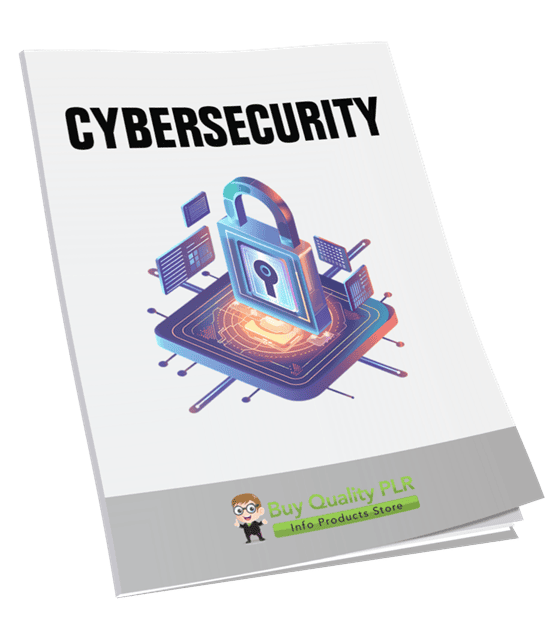
Cybersecurity PLR Course 23k Words
in Internet Security PLR , Internet Security PLR Ebooks , Online Security PLR eBooks , PLR Checklists , PLR eBooks , PLR eCourses , PLR List Building Reports , Premium PLR , Premium PLR eBooks , Premium PLR Reports , Premium White Label Brandable PLR Coaching Courses , Private Label Rights ProductsChoose Your Desired Option(s)
has been added to your cart!
have been added to your cart!
#cybersecurity #onlinesecurity #digitalsafety #ittraining #plrcontent #techmarketing #dataprotection #digitalproducts #plrcourse
A Complete Beginner-Friendly Cybersecurity Training Program You Can Rebrand, Sell, or Monetize Immediately
Cybersecurity is no longer optional. From personal devices to online businesses, almost everyone is exposed to digital threats every single day. Yet most people feel overwhelmed by technical jargon, complex tools, and constantly changing risks.
The Cybersecurity Coaching PLR Course was created to solve this exact problem.
This professionally written 21,666-word PLR course delivers a clear, beginner-friendly, step-by-step cybersecurity education program that teaches people how to stay safe online—without requiring technical expertise.
For PLR buyers, this is a complete, done-for-you cybersecurity coaching system that can be branded, sold, taught, or turned into high-value digital products and services.
Introducing the…
Cybersecurity PLR Course 23k Words
What This Cybersecurity Course Is Designed to Do
This course is designed with one core goal:
To help everyday users confidently protect their devices, data, and online identities through simple, practical cybersecurity habits.
Rather than overwhelming learners with technical detail, the course focuses on:
- Awareness and prevention
- Clear explanations in plain language
- Practical actions that can be implemented immediately
- Building confidence around online safety
It is suitable for:
- Beginners with no cybersecurity background
- Families and individuals
- Freelancers and remote workers
- Small business owners
- Coaches, educators, and trainers
A Coaching-Style Cybersecurity Course (Not Just Theory)
What makes this PLR course especially valuable is its coaching-based structure.
Each module walks learners through:
- Understanding risks
- Making better decisions
- Building safe habits
- Knowing what to do when something goes wrong
This makes the course ideal for:
- Cybersecurity coaches
- Online educators
- Membership site owners
- Personal development brands
- Digital product creators
It is structured to teach, guide, and empower, not intimidate.
Course Breakdown: What’s Included
Cybersecurity Coaching PLR Course
Total Course Length: 21,666 Words
Module 1: Getting Started with Cybersecurity
This module lays the foundation by helping learners understand cybersecurity in simple terms.
Step 1: Understand What Cybersecurity Really Means
Explains cybersecurity as digital protection—making the topic approachable and relatable.
Step 2: Learn Why Cybersecurity Matters (Now More Than Ever)
Highlights the real-world importance of online safety for personal and business use.
Step 3: Identify the Most Common Cyber Threats
Covers common threats such as viruses, phishing, and ransomware in a non-technical way.
Step 4: Meet the Tools That Keep You Safe
Introduces essential tools like antivirus software, firewalls, and VPNs in simple language.
Module 2: Securing Your Devices and Network
This module focuses on practical device and network protection.
Step 1: Lock Down Your Devices with Strong Passwords
Teaches how to create and manage strong, secure passwords.
Step 2: Keep Your Software Updated
Explains why updates matter and how to automate them.
Step 3: Secure Your Wi-Fi at Home or Work
Guides learners through securing wireless networks properly.
Step 4: Use Antivirus and Firewall the Right Way
Shows how to set up and maintain basic digital defenses.
Module 3: Safe Browsing & Social Media Practices
This module helps learners avoid common online traps.
Step 1: Spot Fake Websites and Dangerous Links
Teaches learners how to identify unsafe websites and links.
Step 2: Practice Safe Social Media Habits
Covers privacy settings, oversharing risks, and online boundaries.
Step 3: Use Two-Factor Authentication (2FA)
Explains why 2FA matters and how to enable it.
Step 4: Recognize Phishing Attempts and Scams
Breaks down common scam tactics and warning signs.
Module 4: Data Protection & Backup Strategies
This module focuses on protecting valuable data.
Step 1: Understand the Importance of Data Privacy
Explains how data is collected and how users can control it.
Step 2: Use Encryption to Keep Your Data Safe
Demystifies encryption and explains when and why it should be used.
Step 3: Back Up Your Data the Smart Way
Covers backup strategies using cloud storage and external drives.
Step 4: Manage Permissions and App Access
Teaches learners how to review and restrict app permissions.
Module 5: Practicing Cybersecurity Daily
This final module turns knowledge into habit.
Step 1: Build Good Daily Security Habits
Encourages small actions that significantly improve security over time.
Step 2: Stay Informed with Trusted Sources
Introduces ways to stay updated on evolving cyber threats.
Step 3: Know What to Do If You’re Hacked
Provides clear, calm steps to take if security is compromised.
Step 4: Share What You’ve Learned with Others
Promotes cybersecurity awareness as a shared responsibility.
By the End of the Course, Learners Will Be Able To:
- Protect devices and personal data with confidence
- Identify and avoid common cyber threats
- Practice safer online habits daily
- Respond effectively if security issues occur
- Help others understand basic cybersecurity principles
Additional High-Value Content Included
This PLR package goes beyond the main course content.
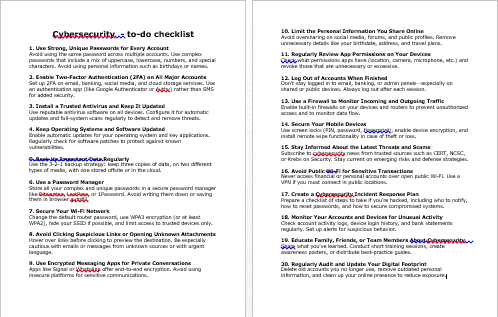
Cybersecurity Checklist – 583 Words
A practical checklist that reinforces learning and encourages implementation.
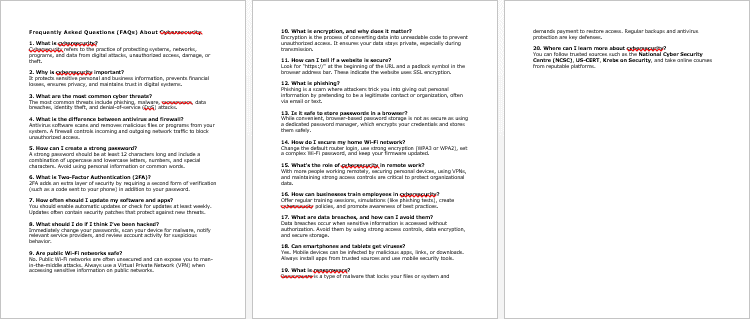
Cybersecurity FAQs – 619 Words
A ready-made FAQ resource that builds trust and answers common cybersecurity questions.
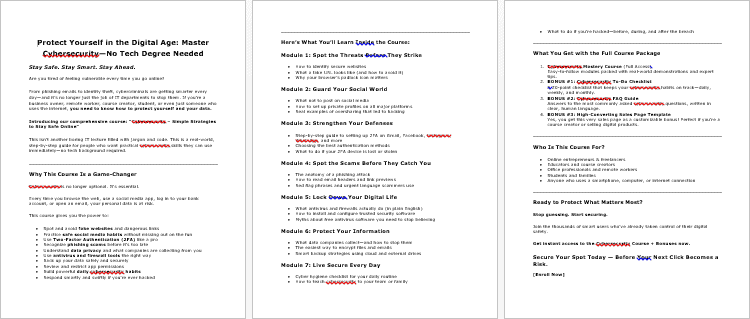
Cybersecurity Sales Page – 683 Words
A professionally written sales page buyers can rebrand, customize, or use as a foundation.
Total Content Value
Total Word Count: 21,666 Words
This is a complete, premium-level cybersecurity coaching program, not a short introductory guide.
Who This Cybersecurity PLR Course Is Ideal For
This course is perfect for:
- Online educators
- Cybersecurity coaches
- Personal development brands
- Course creators
- Membership site owners
- Small business consultants
- Digital product sellers
It can be positioned as beginner-friendly training or upgraded into a premium coaching experience.
How to Use and Profit from This Cybersecurity PLR Course
This course offers exceptional flexibility for monetization.
Sell It as a Standalone Cybersecurity Course
Rebrand and sell it as an online cybersecurity fundamentals program.
Create a Premium Coaching Program
Use the course as the backbone of 1-on-1 or group cybersecurity coaching.
Turn It into a Multi-Week eClass
Drip the content weekly and charge $297–$497 for guided training.
Add It to a Membership Site
Use it as core content to drive recurring monthly subscriptions.
Break It into Smaller Products
Sell individual modules as mini-courses or reports priced $10–$20.
Convert It into Video or Audio Training
Record lessons to increase perceived value and pricing potential.
Use It as Corporate or Client Training
Offer it as cybersecurity awareness training for teams or clients.
Create Lead Magnets and Funnels
Use excerpts to attract leads and upsell the full program.
Bundle with Other Digital Products
Increase cart value with strategic bundles priced $47–$97.
License Terms – What Buyers Are Allowed to Do
Permissions
Buyers may:
- Sell the content with minor edits
- Claim copyright if 75% of the content is substantially modified
- Break the content into smaller paid products
- Bundle it with other content for higher-value offers
- Create membership sites with recurring income
- Convert it into eClasses priced $297–$497
- Turn it into audio, video, or physical products
- Use excerpts as blog posts or lead magnets
- Build a branded site or product and flip it later
License Restrictions – What Buyers Cannot Do
To protect the value of this PLR product:
- PLR or resale rights may not be passed on to customers
- No licensing rights may be transferred in any form
- Affiliate commissions may not exceed 75%
- The full content may not be given away for free in its current form
- The content may not be added to existing paid products without requiring a new purchase
Why Buy This Cybersecurity PLR Course from Buy Quality PLR
Buy Quality PLR specializes in business-ready, practical PLR content designed for real-world monetization.
This course delivers:
- Evergreen demand
- Beginner-friendly positioning
- Strong coaching structure
- High resale and repurposing potential
- Immediate usability
It eliminates months of content creation while opening the door to premium offers in a fast-growing niche.
Get Instant Access Today
The Cybersecurity Coaching PLR Course is available for instant download.
This is a complete, done-for-you cybersecurity education system that can be rebranded, sold, taught, or transformed into premium coaching and training offers immediately.
Add this powerful PLR course to your Buy Quality PLR library today and start turning cybersecurity education into a profitable digital asset.
has been added to your cart!
have been added to your cart!
Here A Sample of the Cybersecurity PLR Course
Module 1: Getting Started with Cybersecurity
Step 1: Understand What Cybersecurity Really Means
Course Section: Introduction to Cybersecurity
Training Objective:
By the end of this step, learners will clearly understand the core concept of cybersecurity, its scope, and why it plays a vital role in our personal and professional lives—across every country, device, and network.
Instructional Overview:
Let’s begin with the foundation. This step is designed to help learners from all backgrounds—whether technical or non-technical—grasp what cybersecurity really means, why it’s necessary, and how it applies to the digital environments we interact with daily. We’ll break down the terminology, contextual examples, and real-world applications to ensure clarity and relevance for a global audience.
Step-by-Step Learning Breakdown:
1. Define Cybersecurity in Simple Terms
Instruction:
Cybersecurity refers to the practices, technologies, and processes that are put in place to protect networks, systems, devices, and data from cyber threats such as unauthorized access, data breaches, hacking, and malicious software.
Discussion Points:
- Cyber = Digital/Internet/Computer Systems
- Security = Protection, Safeguarding, Defense
So essentially, cybersecurity = digital protection.
Analogy:
Imagine your house has a front door, and you lock it at night to keep intruders out. In the digital world, your device (computer, smartphone, tablet) is your “house,” and cybersecurity tools and best practices are the locks, alarms, and surveillance cameras that protect it from intruders (cyber attackers).
2. Understand the Key Areas Covered by Cybersecurity
Instruction:
Cybersecurity is a broad field, and it’s helpful to understand the key categories it covers. This makes it easier to see how it affects both individuals and organizations around the world.
Categories Include:
- Network Security: Protects your internal network from intrusions—this includes things like firewalls, anti-intrusion systems, and secure configurations.
- Application Security: Ensures software and apps are built securely and updated regularly to fix vulnerabilities.
- Information Security (InfoSec): Protects the integrity and privacy of data, whether it’s stored, processed, or transmitted.
- Operational Security: Involves decisions about how data is handled and who has access to it.
- Disaster Recovery & Business Continuity: Deals with how an organization or user responds and recovers from cyber incidents like data loss or attacks.
- End-user Education: Teaching users how to avoid threats like phishing scams or weak passwords.
This structure is recognized and applied internationally, from individual use to enterprise-level systems.
3. Learn Why Cybersecurity Is Relevant Globally
Instruction:
In today’s interconnected world, cybersecurity isn’t just for IT professionals or large companies. It affects governments, schools, hospitals, businesses, freelancers, and everyday users—across all continents.
Why It Matters Globally:
- Every time you use the internet—checking email, accessing a bank account, or uploading a document—you are exposed to cyber risks.
- Data protection laws (such as GDPR in Europe, CCPA in California, and PDPA in Singapore) enforce strict guidelines around cybersecurity, making it a legal necessity for global businesses.
- A cyberattack in one country can affect users and operations across borders instantly due to cloud storage and connected networks.
Example:
A ransomware attack on a major service provider in the US can shut down operations for companies in Canada, the UK, India, and Australia—proving how cybersecurity has no borders.
4. Explore Real-World Impacts of Poor Cybersecurity
Instruction:
Understanding the risks and consequences of poor cybersecurity practices helps learners realize the importance of staying protected in the digital space.
Case Examples:
- Equifax Data Breach (2017): One of the largest breaches in history, exposing the data of over 147 million people due to a failure to patch a known vulnerability.
- WannaCry Ransomware Attack (2017): This attack affected 200,000 computers across 150 countries, including hospitals and transport systems, leading to major disruptions.
- Personal Example: A freelancer in Germany loses client files after clicking on a phishing email, leading to data loss and reputational damage.
Key Insight:
Cybersecurity failures can result in data theft, financial loss, identity theft, legal issues, and damage to trust. And these impacts can happen anywhere—whether you’re in New York, Nairobi, New Delhi, or Nice.
Activity for Learners (Optional):
Reflective Exercise:
Ask learners to list out all the devices they use daily that connect to the internet—laptops, smartphones, tablets, smart TVs, etc.
Then, prompt them to answer:
- Are these devices protected with a password or PIN?
- Do they use antivirus or firewall protection?
- Have they ever experienced a suspicious email or message?
Purpose:
This exercise personalizes the lesson and helps them realize that cybersecurity begins with their own behavior.
End-of-Step Summary:
In this first foundational step, we’ve explored the meaning, scope, and global importance of cybersecurity. It’s not just about high-tech systems—it’s about everyday digital habits and protecting what matters most: your information, identity, and privacy. Whether you’re working on a personal device at home or managing sensitive data for a company, cybersecurity is a vital digital life skill.
Step 2: Learn Why Cybersecurity Matters (Now More Than Ever)
Course Section: The Importance of Cybersecurity in the Modern World
Training Objective:
By the end of this step, learners will gain a deep understanding of why cybersecurity is no longer optional in today’s digital age. This module connects real-world examples, global trends, and personal behaviors to the increasing need for cyber safety in both personal and professional life.
Instructional Overview:
Cybersecurity is not just a technology buzzword—it’s a real-world requirement in our increasingly connected society. From the rise of remote work and online banking to smart homes and cloud storage, our digital footprint is growing every day. As it expands, so do the risks. This step helps learners understand why cybersecurity matters today more than ever before—and how threats can affect anyone, anywhere, at any time.
Step-by-Step Learning Breakdown:
1. Recognize the Explosion of Digital Life and Data Sharing
Instruction:
Start by recognizing how much of our daily life has moved online. We send emails, chat, shop, bank, stream videos, use GPS, and even control appliances—all through the internet.
Key Insight:
Every action—whether you’re uploading a photo, sending a message, or storing documents in the cloud—creates data. That data often includes personal, financial, health, or location information. And much of it is stored, processed, and accessed across global networks.
Real-World Examples:
- A parent uploading family photos to a cloud drive.
- An entrepreneur using online platforms to manage sales and clients.
- A university student logging in to multiple academic portals.
Why It Matters:
The more data we generate, the more there is to protect. And cybercriminals know this.
2. Understand the Increasing Frequency and Sophistication of Cyber Threats
Instruction:
Cyber attacks are becoming more frequent, more sophisticated, and harder to detect. Threat actors range from lone hackers to organized cybercrime syndicates and even state-sponsored groups.
Common Cyber Threats Include:
- Phishing: Fraudulent emails or messages that trick users into giving up sensitive information.
- Ransomware: Malicious software that locks files until a ransom is paid.
- Data Breaches: Unauthorized access to databases containing personal or business data.
- Identity Theft: Using someone’s personal data to commit fraud or theft.
- Social Engineering: Manipulating people to bypass security procedures.
Current Global Statistics:
- According to Cybersecurity Ventures, a cyberattack occurs every 39 seconds.
- The World Economic Forum lists cybercrime as one of the top 5 global risks.
- In 2023, the global average cost of a data breach was $4.45 million (source: IBM).
Key Insight:
It’s no longer a question of if you’ll be targeted—it’s when. Prevention is the best defense.
3. Identify How Cyber Threats Impact Everyone—Not Just Big Companies
Instruction:
Cybersecurity is often misunderstood as something only big corporations need. But the reality is that everyone is a target: individuals, small businesses, nonprofits, schools, healthcare providers, and government agencies.
How It Affects Individuals:
- Stolen passwords leading to unauthorized access to bank accounts.
- Personal data leaked and sold on the dark web.
- Devices infected with spyware or ransomware.
- Emotional stress from identity theft or online scams.
How It Affects Small and Medium Businesses:
- Financial loss due to system downtime.
- Legal penalties for data protection failures (under GDPR, CCPA, etc.).
- Loss of customer trust and brand reputation.
- Operational disruption due to locked files or stolen IP.
Real-Life Global Cases:
- A freelancer in South Africa loses access to project files due to ransomware.
- A small e-commerce site in Italy is blacklisted after its customer data was stolen.
- A healthcare clinic in Canada pays a fine for not encrypting patient data.
Key Insight:
The cost of ignoring cybersecurity is far greater than the investment in staying safe.
4. Learn Why Cybersecurity Is a Shared Responsibility
Instruction:
No single tool or team can protect the digital world alone. Cybersecurity is everyone’s responsibility—from the end user to the IT team, from small business owners to global CEOs.
International Guidelines:
- ISO/IEC 27001 – Global standard for information security management.
- NIST Cybersecurity Framework – U.S.-based, but globally referenced.
- GDPR (Europe), HIPAA (U.S. Health), and other regional laws require compliance and protection of user data.
User-Level Responsibility Includes:
- Being aware of phishing emails.
- Using strong, unique passwords.
- Avoiding public Wi-Fi for sensitive transactions.
- Installing updates and antivirus software.
Organizational Responsibility Includes:
- Providing cybersecurity awareness training.
- Implementing access controls and secure systems.
- Preparing incident response plans.
Key Insight:
The human element is often the weakest link in cybersecurity. Education and awareness can make a massive difference.
Activity for Learners (Optional):
Awareness Assessment:
Ask learners to complete a self-evaluation checklist. For example:
- Do I use the same password for multiple accounts?
- Have I clicked a suspicious email link in the past year?
- Do I know how to recognize a phishing attempt?
- Do I use two-factor authentication?
Purpose:
This makes the risks personal and encourages immediate improvement in digital habits.
End-of-Step Summary:
Cybersecurity isn’t just a technical field—it’s a human issue. As the digital world expands, so do the threats, and the need for protection becomes universal. From checking emails to managing international businesses, cybersecurity matters to everyone. It’s an essential skill for safety, privacy, and peace of mind. Whether you’re a student in Seoul, a teacher in Toronto, or an entrepreneur in Nairobi, understanding cybersecurity today is more important than ever.
Step 3: Identify the Most Common Cyber Threats
Course Section: Understanding Cyber Threats – What You’re Up Against
Training Objective:
In this step, learners will explore the most common types of cyber threats they are likely to encounter, learn how these threats operate, and recognize the red flags associated with each. This foundation is crucial for building real-world awareness and forming effective defense strategies.
Instructional Overview:
Before you can defend against cyber threats, you need to know what they look like. Cyberattacks can come in many forms—some loud and obvious, others silent and deeply hidden. Whether you’re an individual or a company, understanding these threats is your first real line of defense.
This step breaks down the most widespread types of cyber threats into clear, understandable categories. Through relatable scenarios and practical examples, you’ll gain the confidence to recognize and avoid these risks in your daily digital life.
Step-by-Step Learning Breakdown:
1. Learn How Malware Operates: Viruses, Worms, Trojans, and Spyware
Instruction:
Malware stands for “malicious software.” It’s a broad category that includes several types of programs designed to harm or exploit devices, networks, or data.
Key Categories:
- Viruses – Attach themselves to legitimate files and replicate. They spread when the infected file is shared or opened.
- Worms – Self-replicating programs that spread across networks without human interaction. Often used to overload systems.
- Trojans – Disguised as useful software but contain harmful code that creates backdoors for attackers.
- Spyware – Secretly monitors user activity and collects personal information without consent.
Real-Life Example:
A teacher downloads a free gradebook app from an unknown source. It contains a Trojan that silently captures keystrokes and sends passwords to a remote attacker.
Why It Matters:
Malware is one of the most common and damaging threats, especially for users who download files or apps from unverified sources.
2. Understand Phishing Attacks and Social Engineering Tricks
Instruction:
Phishing is a deceptive tactic that manipulates people into revealing confidential information by pretending to be a trusted entity. It’s often the gateway to more serious attacks.
Common Phishing Methods:
- Email Phishing – Fake messages from banks, online stores, or government agencies asking you to “verify your account” or “click this link.”
- Spear Phishing – Highly targeted messages crafted for a specific individual, often using personal information to appear authentic.
- Smishing – Phishing via SMS text messages.
- Vishing – Voice-based phishing conducted through phone calls.
- Business Email Compromise (BEC) – Impersonating a company executive or vendor to trick employees into wiring funds or revealing internal data.
Red Flags to Look For:
- Poor spelling or grammar in emails
- Suspicious or unfamiliar senders
- Unexpected links or attachments
- Urgent requests for personal or financial information
Real-Life Example:
A freelancer receives an email claiming to be from a payment platform requesting urgent account verification. It leads to a fake site designed to steal login credentials.
Why It Matters:
Phishing is responsible for over 90% of successful cyberattacks globally. It doesn’t matter how secure your system is—if an attacker can trick a human, they’re in.
3. Explore Ransomware and Its Devastating Impact
Instruction:
Ransomware is a type of malware that locks your files or system and demands payment (usually in cryptocurrency) to unlock them. It’s a rapidly growing threat affecting individuals, hospitals, schools, and governments.
How It Works:
- It typically spreads through email attachments or malicious links.
- Once installed, it encrypts files, making them inaccessible.
- A message appears demanding payment in exchange for a decryption key.
Types of Ransomware:
- Locker Ransomware – Locks access to the entire system.
- Crypto Ransomware – Encrypts specific files and folders.
- Double Extortion – Threatens to release stolen data publicly if payment isn’t made.
Real-Life Example:
A municipal government in the United States had its entire digital infrastructure frozen. The attackers demanded $100,000 to restore access to public records, emails, and services.
Why It Matters:
Ransomware is financially and emotionally crippling. Paying the ransom doesn’t guarantee recovery—and it encourages more attacks.
4. Recognize Threats That Exploit Public and Personal Networks
Instruction:
Some attacks don’t rely on malicious files or trickery—they exploit weak or unprotected networks to gain unauthorized access.
Key Threats Include:
- Man-in-the-Middle (MitM) Attacks – Intercepting communication between two parties, often over unsecured Wi-Fi.
- DNS Spoofing – Redirecting users to fake websites that look legitimate.
- Packet Sniffing – Capturing data being transmitted over a network.
Common Risk Scenarios:
- Connecting to public Wi-Fi at an airport without using a virtual private network (VPN).
- Visiting a website that lacks HTTPS security.
- Using outdated software with known security vulnerabilities.
Real-Life Example:
A traveler uses free Wi-Fi in a hotel lobby to check bank balances. A hacker on the same network uses packet sniffing tools to steal login details.
Why It Matters:
Network-based attacks often go undetected. They’re quiet, fast, and can compromise sensitive data without triggering any alarms.
Activity for Learners (Optional but Recommended):
Threat Identification Exercise:
Present learners with five brief scenarios and ask them to identify which type of threat is being described. For example:
- A user receives a text message claiming to be from their bank, asking to click a link to confirm a transaction.
(Answer: Smishing) - Files on a company’s internal server are suddenly encrypted, and a pop-up appears demanding $5,000 in Bitcoin.
(Answer: Ransomware)
Purpose:
This activity reinforces recognition skills and encourages learners to think critically about real-world situations.
End-of-Step Summary:
Cyber threats are constantly evolving, but most fall into identifiable categories. By learning how each of these common attacks works, you’ll be better equipped to detect them early, avoid common traps, and take meaningful steps to protect yourself and your organization. Remember: you don’t need to be an IT expert to stay safe—you just need to stay informed, alert, and cautious.
Step 4: Meet the Tools That Keep You Safe
Course Section: Introduction to Cybersecurity Tools – Your Digital Defense Kit
Training Objective:
By the end of this section, learners will be familiar with essential cybersecurity tools like firewalls, antivirus software, and VPNs. The focus will be on understanding each tool’s purpose, how it works in everyday terms, and why it is critical for individuals and organizations around the world. This step simplifies the technical jargon and equips learners with the basic knowledge needed to make smart security choices.
Instructional Overview:
Imagine walking through a secure building. At the entrance, there’s a guard checking IDs (firewall), cameras monitoring every hallway (antivirus), and tinted windows that prevent outsiders from seeing in (VPN). These are your digital defenses—each tool playing a role in keeping your online activities secure and private.
In this step, you’ll not only be introduced to these key cybersecurity tools, but you’ll also understand how to use them, why they matter, and what mistakes to avoid. It’s not about memorizing technical specs—it’s about becoming a smart, security-minded digital citizen.
Step-by-Step Learning Breakdown:
1. Understand What a Firewall Is and How It Works
Instruction:
A firewall acts like a digital security guard. It controls what traffic is allowed to enter or leave your network, much like a checkpoint at a border crossing.
Types of Firewalls:
- Hardware Firewalls – Built into routers or other network devices, they protect an entire network.
- Software Firewalls – Installed on individual devices to protect them specifically (like Windows Defender Firewall).
How Firewalls Help You:
- Block unauthorized access attempts from hackers.
- Monitor incoming and outgoing traffic for suspicious activity.
- Control access to potentially unsafe websites or software.
Real-World Example:
A small business uses a router with a built-in firewall to ensure that only approved devices can access its internal server, keeping unauthorized users out.
Important Notes:
- Firewalls should always be enabled.
- Don’t disable your firewall for convenience—it creates an open gate for cyber attackers.
2. Learn About Antivirus and Anti-Malware Software
Instruction:
Antivirus and anti-malware programs are your digital detectives. They scan your device regularly and alert you when something suspicious shows up—like viruses, ransomware, or spyware.
What Antivirus Software Does:
- Detects and removes known malware.
- Prevents malicious downloads.
- Runs scheduled scans to keep your system clean.
Popular Antivirus Tools (International Options):
- Norton
- Bitdefender
- Kaspersky
- Windows Defender (built into Windows 10/11)
- Avast
Important Concepts:
- Keep your antivirus software updated. New threats appear daily, and updates help your software recognize them.
- Free antivirus options exist, but they may lack real-time protection or web filtering.
Real-World Scenario:
You download a PDF from an unknown source, and your antivirus immediately blocks the file, detecting it as a Trojan. This one tool saved your entire system.
3. Discover the Power of VPNs (Virtual Private Networks)
Instruction:
A VPN is like a secure tunnel between your device and the internet. It encrypts your data and hides your online identity, especially when you’re on public networks.
What VPNs Do:
- Mask your IP address, protecting your location and identity.
- Encrypt your internet connection to prevent eavesdropping.
- Help bypass geo-blocks (used by streaming services or content restrictions).
When to Use a VPN:
- Connecting to public Wi-Fi (airports, hotels, coffee shops).
- Accessing work files from remote locations.
- Protecting privacy from internet service providers (ISPs) and advertisers.
Trusted VPN Providers (International Examples):
- NordVPN
- ExpressVPN
- ProtonVPN
- Surfshark
Common Mistake to Avoid:
Using a free VPN service that logs your data or sells it. Choose a reputable provider that respects user privacy.
Real-World Scenario:
A remote worker logs in from a hotel’s public Wi-Fi. Their VPN encrypts everything, preventing attackers on the same network from spying on their company credentials.
4. Explore Additional Tools: Password Managers, 2FA, and Software Updates
Instruction:
Besides firewalls, antivirus software, and VPNs, there are support tools that play a critical role in your cybersecurity toolkit.
Key Tools to Know:
- Password Managers
Help you create, store, and manage complex passwords securely. Examples: 1Password, LastPass, Bitwarden.
Why It’s Important: Using the same password across sites is dangerous. Password managers let you create unique, hard-to-crack passwords without needing to memorize them all. - Two-Factor Authentication (2FA)
Adds a second layer of security. Even if your password is stolen, an attacker can’t access your account without the second code (sent to your phone or email).
How to Use: Enable 2FA on email accounts, social media, cloud services, and banking apps. - Automatic Software Updates
Many cyberattacks happen because of outdated software. Updates include security patches that close known vulnerabilities.
What to Do: Turn on automatic updates for your OS, browsers, antivirus, and apps.
Real-World Scenario:
An employee uses the same password for email and a cloud service. A data breach reveals that password. Without 2FA, the attacker logs in easily. But with 2FA enabled, the attacker is stopped—even with the correct password.
Interactive Activity for Learners (Optional but Effective):
Tool Match-Up Quiz:
Provide a list of functions (e.g., “encrypts internet connection,” “blocks malicious traffic,” “stores secure passwords”), and have learners match them to the correct tools (e.g., VPN, Firewall, Password Manager).
Purpose:
This activity reinforces understanding of each tool’s role and helps learners confidently differentiate between them.
End-of-Step Summary:
Cybersecurity isn’t just about knowing the threats—it’s about knowing the tools that keep them out. Firewalls, antivirus programs, VPNs, password managers, and 2FA all work together like parts of a security system. When used properly, they can stop most attacks before they even begin. The good news? These tools are available, accessible, and easy to use—once you know what they are and how to use them wisely.
We’re also giving these extra bonuses
Cybersecurity – Checklist
Cybersecurity – FAQs
Cybersecurity – Salespage Content
Package Details:
Word Count: 21 666 Words
Number of Pages: 96
Cybersecurity – Bonus Content
Checklist
Word Count: 583 words
FAQs
Word Count: 619 words
Salespage Content
Word Count: 683 words
Total Word Count: 23 551 Words
Your PLR License Terms
PERMISSIONS: What Can You Do With These Materials?
Sell the content basically as it is (with some minor tweaks to make it “yours”).
If you are going to claim copyright to anything created with this content, then you must substantially change at 75% of the content to distinguish yourself from other licensees.
Break up the content into small portions to sell as individual reports for $10-$20 each.
Bundle the content with other existing content to create larger products for $47-$97 each.
Setup your own membership site with the content and generate monthly residual payments!
Take the content and convert it into a multiple-week “eclass” that you charge $297-$497 to access!
Use the content to create a “physical” product that you sell for premium prices!
Convert it to audios, videos, membership site content and more.
Excerpt and / or edit portions of the content to give away for free as blog posts, reports, etc. to use as lead magnets, incentives and more!
Create your own original product from it, set it up at a site and “flip” the site for megabucks!
RESTRICTIONS: What Can’t You Do With These Materials?
To protect the value of these products, you may not pass on the rights to your customers. This means that your customers may not have PLR rights or reprint / resell rights passed on to them.
You may not pass on any kind of licensing (PLR, reprint / resell, etc.) to ANY offer created from ANY PORTION OF this content that would allow additional people to sell or give away any portion of the content contained in this package.
You may not offer 100% commission to affiliates selling your version / copy of this product. The maximum affiliate commission you may pay out for offers created that include parts of this content is 75%.
You are not permitted to give the complete materials away in their current state for free – they must be sold. They must be excerpted and / or edited to be given away, unless otherwise noted. Example: You ARE permitted to excerpt portions of content for blog posts, lead magnets, etc.
You may not add this content to any part of an existing customer order that would not require them to make an additional purchase. (IE You cannot add it to a package, membership site, etc. that customers have ALREADY paid for.)
Share Now!
Latest Products





Free Sales Funnel Builder

Related Products
Popular & Trending



Featured Products