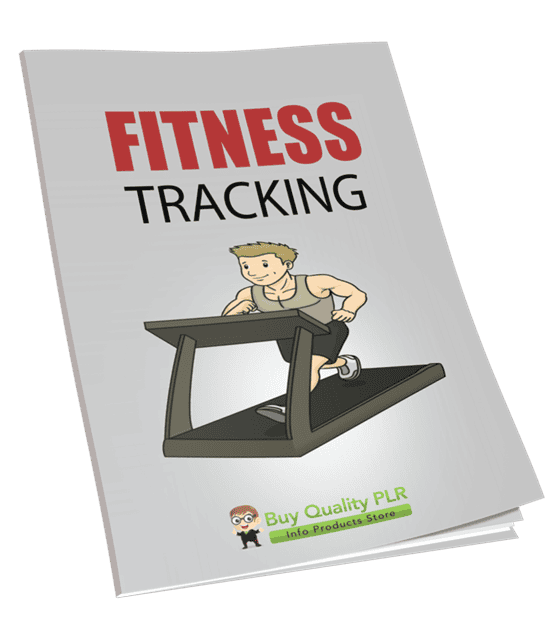
Fitness Tracking PLR Course 30k Words
in Fitness Mindset PLR , Fitness PLR , PLR Checklists , PLR eCourses , PLR List Building Reports , Premium PLR , Premium PLR Reports , Premium White Label Brandable PLR Coaching Courses , Private Label Rights ProductsChoose Your Desired Option(s)
has been added to your cart!
have been added to your cart!
#fitnesstracking #plrcourse #healthandfitness #workouttracking #fitnessmarketing #plrcontent
Track Smarter, Move Better, Stay Healthier
Fitness tracking has transformed the way people approach health. What started as simple step counting has evolved into advanced monitoring of heart rate, sleep cycles, calories, hydration, stress levels, and performance metrics.
Yet many people own a fitness tracker and barely use its full potential.
They collect data—but don’t understand it.
They track steps—but ignore sleep.
They monitor workouts—but fail to adjust based on insights.
The Fitness Tracking PLR Course was created to bridge that gap.
This comprehensive, step-by-step course teaches individuals how to use fitness tracking tools effectively, interpret their data confidently, and turn insights into real, sustainable health improvements.
For PLR buyers, this is a powerful opportunity to offer a high-demand wellness product that can be rebranded, sold, taught, or transformed into premium coaching, memberships, and health programs.
Introducing the…
Fitness Tracking PLR Course 30k Words
What This Course Is Designed to Do
The purpose of this course is simple:
To help individuals track smarter, understand their data clearly, and build long-term healthy habits that actually stick.
Instead of overwhelming learners with technical jargon, the course provides:
- Clear explanations of fitness tracking basics
- Practical daily tracking habits
- Data interpretation guidance
- Motivation and habit-building systems
- Advanced insights for those ready to level up
It transforms passive tracking into active progress.
Course Overview: Fitness Tracking
Track Smarter, Move Better, Stay Healthier
This structured 5-module course guides learners from beginner understanding to advanced tracking mastery.
By the end of the course, learners will:
- Choose the right fitness tracking tools
- Set meaningful fitness goals
- Track daily habits effectively
- Interpret dashboards and metrics
- Adjust routines based on insights
- Stay motivated long-term
Module Breakdown
Module 1: Getting Started with Fitness Tracking
This module builds foundational knowledge.
Step 1: Understand What Fitness Tracking Really Means
Explains that fitness tracking goes beyond steps—covering sleep, heart rate, hydration, nutrition, and overall wellness monitoring.
Step 2: Choose the Right Fitness Tracker
Guides learners through selecting smartwatches, fitness bands, or apps based on goals and budget.
Step 3: Set Up Your Tracker Properly
Covers syncing devices, adjusting settings, and entering accurate personal data.
Step 4: Define Your Fitness Goals
Helps learners set clear goals such as weight loss, endurance improvement, muscle gain, or better sleep.
This module ensures learners start correctly.
Module 2: Daily Tracking Habits That Work
Consistency is key, and this module focuses on daily implementation.
Step 1: Track Your Steps and Movement
Teaches why movement tracking matters for long-term health.
Step 2: Monitor Heart Rate and Calories
Explains heart rate zones and calorie tracking for smarter workouts.
Step 3: Keep Tabs on Sleep
Shows how to interpret sleep cycles and improve recovery.
Step 4: Log Food and Water Intake
Offers simple methods for tracking nutrition without becoming overwhelmed.
This module turns tracking into a daily lifestyle habit.
Module 3: Analyzing and Understanding Your Data
Data is only valuable when understood.
Step 1: Learn to Read Your Dashboard
Breaks down graphs, charts, and numbers in simple language.
Step 2: Spot Patterns and Progress
Teaches how to analyze trends over weeks and months.
Step 3: Adjust Goals Based on Insights
Encourages evolving fitness targets as performance improves.
Step 4: Celebrate Milestones
Reinforces motivation through progress recognition.
This module empowers learners to make data-driven decisions.
Module 4: Staying Motivated with Fitness Tracking
Motivation is often the missing link in health routines.
Step 1: Join Challenges and Communities
Encourages accountability through app-based challenges and groups.
Step 2: Use Reminders and Streaks
Leverages built-in app features to build consistency.
Step 3: Mix Up Activities
Shows how to track cycling, yoga, swimming, strength training, and more.
Step 4: Weekly Reflection
Introduces a simple weekly review process to reset and refocus.
This module ensures long-term adherence.
Module 5: Leveling Up Your Fitness Tracking Game
For learners ready to go deeper.
Step 1: Sync with Other Health Apps
Explains integration with tools like MyFitnessPal, Apple Health, and Google Fit.
Step 2: Dive Into Advanced Metrics
Clarifies VO2 Max, HRV, and other performance indicators.
Step 3: Get Expert Feedback
Shows how to share data with trainers or health professionals.
Step 4: Make Fitness Tracking a Lifelong Habit
Focuses on sustainability and long-term health transformation.
This final module turns tracking into a lifestyle.
What Makes This PLR Course Valuable
The global fitness and wearable technology market continues to grow. Millions of people own fitness trackers—but few know how to use them effectively.
This creates strong demand for:
- Educational fitness content
- Beginner-friendly tech guides
- Habit-building systems
- Health optimization strategies
This course meets that demand with clarity and practicality.
Additional High-Value Content Included
This PLR package includes:
Fitness Tracking Checklist – 573 Words
A practical step-by-step action guide for implementation.
Fitness Tracking FAQs – 732 Words
A ready-made FAQ section addressing common tracking concerns.
Fitness Tracking Sales Page – 558 Words
A professionally written sales page buyers can rebrand and customize.
Who This Course Is Ideal For
This course is perfect for:
- Fitness coaches
- Wellness bloggers
- Personal trainers
- Health tech brands
- Online course creators
- Membership site owners
- Health influencers
It can be positioned as:
- A beginner’s guide to fitness tracking
- A wearable tech mastery course
- A lifestyle optimization program
- A habit-building fitness system
How to Use and Profit from This PLR Course
This course offers strong monetization flexibility.
Sell It as a Standalone Online Course
Rebrand and launch as a complete fitness tracking program.
Create a Premium Coaching Offer
Use it as the framework for 1-on-1 or group fitness coaching.
Turn It Into a Multi-Week eClass
Deliver content weekly and charge $297–$497.
Add It to a Membership Site
Use it as core health optimization content.
Break It Into Smaller Products
Sell modules individually for $10–$20.
Convert Into Video or Audio Training
Increase value through multimedia formats.
Bundle With Other Health Courses
Create packages priced $47–$97.
Build a Health Tech Niche Brand
Launch a fitness-tech-focused website and grow it into a sellable digital asset.
License Terms – What Buyers Are Allowed to Do
Permissions
Buyers may:
- Sell the content with minor edits
- Claim copyright if 75% of the content is substantially modified
- Break content into smaller paid products
- Bundle it with other content
- Create membership sites with recurring income
- Convert it into multi-week eClasses priced $297–$497
- Turn it into audio, video, or physical products
- Use excerpts as lead magnets
- Build a branded product or website and flip it
License Restrictions – What Buyers Cannot Do
To protect the product’s value:
- PLR or resale rights may not be passed on
- Licensing rights may not be transferred
- Affiliate commissions may not exceed 75%
- The full content may not be given away in its current form
- It may not be added to existing paid products without a new purchase
Why Buy This PLR Course from Buy Quality PLR
Buy Quality PLR delivers business-ready PLR products designed for real monetization opportunities.
The Fitness Tracking PLR Course offers:
- Evergreen demand in health and wearable tech
- Beginner-friendly structure
- Practical implementation guidance
- Broad audience appeal
- Immediate resale and repurposing potential
It saves months of content development while giving buyers a complete wellness education system ready for branding and profit.
Get Instant Access Today
The Fitness Tracking PLR Course is available for instant download.
This is a complete, done-for-you fitness tracking education system that can be rebranded, sold, taught, or transformed into premium coaching and wellness products immediately.
Add this powerful PLR course to your Buy Quality PLR library today and start turning smart tracking into a profitable digital asset.
has been added to your cart!
have been added to your cart!
Here A Sample of the Fitness Tracking PLR Course
Module 1: Getting Started with Fitness Tracking
Step 1: Understand What Fitness Tracking Really Means
Introduction
As a global course creator, your audience will likely consist of learners from diverse cultures, backgrounds, and fitness levels. This step aims to lay a solid foundation by introducing them to the true meaning of fitness tracking. It’s important that learners understand not just what fitness tracking is, but also why it matters and how it can be used to transform their overall well-being.
Encourage your learners to set aside any preconceived notions about fitness tracking being just about counting steps. Instead, guide them to see it as a dynamic, holistic tool that integrates multiple aspects of health into one measurable, trackable system.
Section 1: Redefining Fitness Tracking
Begin by breaking the myth that fitness tracking is limited to pedometers or step counters.
Instructional Talking Points:
- Define fitness tracking as a data-driven method of observing and improving overall wellness through the use of digital tools.
- Emphasize that modern fitness tracking encompasses far more than movement; it covers multiple dimensions of health: activity, recovery, nutrition, hydration, sleep, and biometric feedback such as heart rate.
- Provide real-world examples. For instance, show how someone tracking sleep patterns may discover their energy crashes are caused by poor sleep, not lack of exercise.
Interactive Activity:
Ask learners to reflect on what they’ve traditionally associated with fitness tracking. Then have them write down 3 additional health behaviors they’d like to track. This primes them to think beyond the basics.
Section 2: Core Components of Fitness Tracking
Here, you’ll break down the five key elements commonly tracked with today’s fitness technology. Go step by step, with simple definitions and explanations.
1. Physical Activity
- What it measures: Steps, calories burned, distance traveled, and workout intensity.
- Why it matters: Movement supports cardiovascular health, strength, flexibility, and mood regulation.
- Tools involved: Step counters, GPS for distance, accelerometers, movement recognition sensors.
- Use case: A learner can identify their most sedentary time periods and set reminders to walk more during those hours.
2. Heart Rate Monitoring
- What it measures: Beats per minute (BPM), resting heart rate, heart rate variability (HRV), and heart rate zones.
- Why it matters: Heart rate is a strong indicator of cardiovascular fitness and recovery.
- Tools involved: Optical sensors on smartwatches, chest straps, ECG-enabled devices.
- Use case: Learners can see when they’re overexerting themselves or when they need to push a bit harder to reach fat-burning or endurance zones.
3. Sleep Tracking
- What it measures: Sleep stages (light, deep, REM), total sleep time, sleep latency, and disturbances.
- Why it matters: Recovery and energy are tied directly to sleep quality.
- Tools involved: Wearables with motion and heart rate sensors, smart rings, smart mattresses.
- Use case: Learners discover that their sleep is frequently interrupted, which may lead them to explore factors like caffeine intake, screen time, or stress.
4. Hydration and Nutrition Logging
- What it measures: Water intake, calories, macronutrients (proteins, carbs, fats), and micronutrients (vitamins and minerals).
- Why it matters: Proper fueling and hydration are essential for recovery, performance, and general health.
- Tools involved: Manual logging apps (MyFitnessPal, Cronometer), barcode scanners, food photo recognition apps.
- Use case: A learner tracking their meals may realize they’re not getting enough protein to support their strength training goals.
5. Biometric Feedback
- What it measures: Weight, body fat percentage, blood oxygen levels (SpO2), respiratory rate, stress levels.
- Why it matters: These provide a deeper layer of insight, often related to health risks or chronic condition monitoring.
- Tools involved: Smart scales, pulse oximeters, stress tracking algorithms built into wearables.
- Use case: Learners concerned about stress can begin using breathing or meditation tools when elevated levels are detected.
Section 3: The Purpose Behind Tracking
Your learners need to understand the why behind tracking, not just the what. Help them shift from passive data collection to intentional behavior change.
Key Concepts to Teach:
- Awareness before action: When learners can see a full picture of their habits, they’re more likely to make effective changes.
- Small metrics = big insights: Even a single daily metric like sleep hours can dramatically shift energy, motivation, and workout results.
- Empowerment through data: Fitness tracking enables self-coaching. Instead of relying solely on intuition, learners can make decisions based on actual patterns.
Case Example:
Walk learners through a brief scenario: A person starts tracking their sleep and physical activity. They notice they sleep poorly after late-night workouts and decide to shift exercise to the morning. Within two weeks, sleep improves, energy increases, and workout consistency goes up. This shows tracking leads to positive compounding effects.
Section 4: Common Myths and Mistakes to Avoid
To set expectations and reduce frustration early on, clarify common misconceptions about fitness tracking.
Address these myths:
- “I have to be perfect.” Fitness tracking is not about perfection—it’s about progress and consistency.
- “I need to track everything, all the time.” Tracking is flexible. Learners can choose the metrics that matter most for their current goal.
- “More data is always better.” Too much data can be overwhelming. Quality over quantity—track what helps you take action.
- “Tracking is only for athletes.” Anyone with a goal—weight loss, more energy, better sleep—can benefit from fitness tracking.
Guided Reflection:
Have learners write down one myth they previously believed, and what mindset they want to adopt going forward.
Section 5: Course Summary for Step 1
Wrap up the step with a recap and an encouraging message.
What learners should walk away with:
- A clear understanding that fitness tracking is a tool for full-body wellness.
- Awareness of what can be tracked and why each metric matters.
- Real-life examples of how this information can improve day-to-day health.
- A mindset of curiosity and self-compassion rather than pressure.
Instructor Prompt:
Encourage learners to explore the fitness tracking features on their current smartphone or device before moving to the next step. Even if they don’t own a fitness tracker yet, most modern smartphones offer built-in health tracking features that can be a great starting point.
Step 2: Choose the Right Fitness Tracker for You
Introduction
Now that learners understand what fitness tracking really means, the next logical step is helping them select the right fitness tracker for their individual needs. The market is flooded with options—from high-tech smartwatches to simple pedometer apps—and choosing the right one can feel overwhelming.
As a course creator, your role is to demystify this process. This step will help learners identify their personal goals, understand the key types of fitness trackers available globally, and make a confident, well-informed choice that fits their lifestyle, goals, and budget.
Section 1: Identify Your Health and Fitness Goals
Before choosing a device or app, learners must clearly define what they want to track and why. Encourage them to ask themselves:
- Are you focused on general activity (steps and movement)?
- Are you looking to monitor workouts like running, swimming, or cycling?
- Are you trying to improve sleep or manage stress?
- Do you want to track your heart rate during exercise or throughout the day?
- Are you aiming to lose weight and want nutrition and hydration tracking?
- Are you managing a health condition (such as high blood pressure, diabetes, or anxiety)?
Instructional Strategy:
Guide learners through a self-assessment exercise. Ask them to write down their top 3 health priorities. These will serve as a filter for choosing the right tracker.
Example:
A person who wants to build better sleep habits may prioritize a tracker with advanced sleep monitoring over features like GPS or workout modes.
Section 2: Understand the Different Types of Fitness Trackers
There are four primary categories of fitness tracking tools. Explain each one, with pros, cons, and ideal use cases.
1. Smartwatches
Description:
Smartwatches are all-in-one devices worn on the wrist that often combine fitness tracking with smartphone functionality (calls, texts, notifications).
Popular Examples:
Apple Watch, Samsung Galaxy Watch, Garmin Venu, Fitbit Sense, Huawei Watch GT.
Best For:
Users who want real-time data, heart rate tracking, workout modes, GPS, sleep insights, and app integrations.
Considerations:
- Typically more expensive.
- Require regular charging (usually every 1–3 days).
- Some models are optimized for specific ecosystems (iOS or Android).
2. Fitness Bands
Description:
Lightweight wristbands focused primarily on health tracking rather than full smartwatch features.
Popular Examples:
Fitbit Charge, Xiaomi Mi Band, Amazfit Band, Honor Band.
Best For:
Budget-conscious users who want to track steps, sleep, calories burned, and simple workouts.
Considerations:
- Limited functionality compared to smartwatches.
- Great battery life (can last 5–14 days).
- Usually more affordable and comfortable for daily wear.
3. Mobile Apps
Description:
Fitness tracking apps that work through a smartphone’s built-in sensors (accelerometer, GPS, microphone) or connect with third-party wearables.
Popular Examples:
Google Fit, Apple Health, Samsung Health, Strava, MyFitnessPal.
Best For:
Beginners who want to start tracking without buying a device. Also ideal for those who carry their phone during exercise.
Considerations:
- Less accurate step and movement data if the phone isn’t always on the body.
- Limited heart rate and sleep tracking unless paired with a wearable.
- Free or low-cost, but some features may be locked behind subscriptions.
4. Specialized Trackers
Description:
Devices built for specific functions—sleep tracking rings, chest-strap heart monitors, or smart insoles.
Popular Examples:
Oura Ring (sleep and recovery), WHOOP Band (athlete-level recovery), Polar H10 (heart rate chest strap).
Best For:
Athletes or users with very specific goals, like optimizing sleep or training zones.
Considerations:
- Often used as supplemental tools.
- Usually lack screens; data is accessed via connected apps.
- Can be pricey and niche.
Section 3: Match Features with Goals, Budget, and Lifestyle
Now that learners understand the options, guide them through a simple 3-step decision framework:
Step 1: Match Features to Goals
Create a feature checklist based on common goals:
- If the goal is weight loss: prioritize calorie, step, and activity tracking, plus food logging.
- For cardiovascular fitness: ensure continuous heart rate monitoring, heart rate zones, and GPS.
- For stress reduction and sleep: look for guided breathing, HRV, and detailed sleep stage analysis.
- For general wellness: a basic fitness band or smartphone app may be enough.
Step 2: Align with Budget
Break down price ranges for global audiences (include currency ranges or conversion where appropriate):
- Entry-level trackers (USD $30–$70) – Basic bands with steps, heart rate, and sleep.
- Mid-range (USD $100–$200) – Smart bands and watches with more fitness and health insights.
- High-end (USD $250+) – Premium watches with advanced sensors, ECG, oxygen monitoring, stress detection, and ecosystem compatibility.
Tip: Remind learners that many companies offer refurbished or previous-generation models at reduced costs.
Step 3: Consider Comfort and Compatibility
Ask learners:
- Will you wear the device all day and night?
- Is the display easy to read in sunlight?
- Does the device feel heavy or bulky?
- Is the companion app user-friendly and available in your preferred language?
- Does it work with your phone’s operating system (iOS, Android)?
Encourage learners to read global reviews and check if regional support or replacements are available in their country.
Section 4: Make the Final Selection (With Confidence)
Once learners have considered all of the above, it’s time to make a confident choice.
Checklist Exercise:
Provide a downloadable or printable checklist for the following questions:
- Have I clearly identified my top fitness goals?
- Do I prefer a wearable or a phone-based app?
- What features are most important to me?
- What’s my budget range?
- Does the tracker work with my phone and lifestyle?
- Can I see myself wearing/using it consistently for at least 3 months?
Instructor Guidance:
Encourage learners to choose one option to start with, rather than overanalyzing. Reinforce that it’s better to begin with an imperfect tool than delay action waiting for the “perfect” one.
Section 5: Course Summary for Step 2
By the end of this step, learners should:
- Understand the full range of fitness tracking tools available on the international market.
- Have clarity about their personal goals and what features matter most to them.
- Know how to align their choice with their budget, lifestyle, and technical comfort level.
- Feel confident and empowered to make a selection and begin tracking.
Closing Note for Course Creators:
This step is pivotal because the device or tool learners choose will become a daily companion. By giving them a thoughtful, structured approach to choosing, you help reduce overwhelm, increase adoption, and build long-term engagement.
Step 3: Set Up Your Tracker Properly
Introduction
Now that the learner has selected their fitness tracker or app, it’s time to take the next essential step—setting it up correctly. Many users don’t realize how crucial this stage is. A poorly set-up device can lead to inaccurate tracking, missed insights, and frustration. As a course creator, your job is to guide learners through the entire setup process, ensuring accuracy, personalization, and a smooth user experience across platforms and devices.
Section 1: Install the Companion App and Sync Your Device
1. Download the Official App
Almost all fitness trackers—whether smartwatches, bands, or rings—require a companion app to function optimally.
Instructions:
- Open the App Store (iOS) or Google Play Store (Android).
- Search for and download the official app provided by your fitness tracker’s manufacturer. Examples include:
- Apple Watch → Apple Health & Watch App
- Fitbit devices → Fitbit App
- Garmin devices → Garmin Connect
- Xiaomi Bands → Mi Fitness or Zepp Life
- WHOOP or Oura → Respective brand apps
Course Tip for Global Audience:
- Some apps are restricted by region. Advise learners to ensure their app is available and fully functional in their country. If not, direct them to the manufacturer’s website for alternatives.
2. Pair Your Device with Your Phone or Tablet
Instructions:
- Turn on Bluetooth on your phone or tablet.
- Open the downloaded fitness app.
- Follow the on-screen pairing instructions, which typically involve:
- Placing the device near your phone
- Selecting the device name from a list
- Entering a code (if prompted) to confirm connection
Troubleshooting Tips:
- Ensure your device is sufficiently charged.
- Restart both your phone and tracker if the connection fails.
- Only pair one tracker per account to avoid syncing conflicts.
Section 2: Create or Log in to Your Account
Creating a personal account ensures that your health data is stored, synced across devices, and backed up.
Instructions:
- Open the app and click on “Create New Account” or “Log In”.
- Enter an active email address or phone number.
- Create a strong password (at least 8 characters with a mix of letters, numbers, and symbols).
- Verify your account through the code sent to your email or phone.
Global Note:
Encourage learners to choose an email address they will continue to use long-term and one not linked to corporate or temporary accounts. For security, suggest enabling 2-factor authentication (2FA) where available.
Section 3: Input Your Personal Data for Accuracy
To provide accurate insights, the tracker needs to know certain personal information. Stress the importance of honesty and precision during this step.
Typical fields to complete:
- Full name (optional)
- Date of birth (used to calculate age-related health metrics)
- Gender (some algorithms adjust calorie burn or heart rate zones)
- Height (used for stride length and calorie estimates)
- Weight (affects calorie burn calculations and BMI analysis)
- Preferred measurement units (Imperial or Metric)
Instructional Tip:
Provide an international table with conversions (e.g., cm to feet/inches, kg to lbs, Celsius to Fahrenheit) for ease of entry.
Privacy Reassurance:
Let learners know their data is typically encrypted and stored securely. If privacy is a concern, encourage reading the app’s privacy policy or exploring “Guest Mode” if available.
Section 4: Customize Key Settings for Better Tracking
The default settings may not suit everyone. This step personalizes the experience for optimal use.
1. Set Daily Goals
Most apps allow goal-setting in the following areas:
- Steps (e.g., 10,000/day)
- Calories burned
- Minutes of activity
- Sleep duration
- Water intake
- Workout frequency
Instruction:
Ask learners to begin with realistic goals. For example:
- Beginners can start with 5,000 steps instead of 10,000.
- Aim for 30 minutes of moderate activity 5 days a week.
2. Enable or Disable Notifications
Learners can fine-tune how often and what kind of alerts they receive:
- Move reminders (every hour)
- Goal completion celebrations
- Low battery warnings
- Call/message alerts (for smartwatches)
Advise international users to adjust language preferences, units, and time zones within app settings for accuracy and clarity.
3. Configure Syncing Frequency and Permissions
Syncing ensures your device updates the data in real-time or at regular intervals.
Checklist:
- Enable automatic Bluetooth syncing
- Allow location services (needed for outdoor activity tracking)
- Connect to Wi-Fi (for cloud-based syncing and updates)
- Allow access to Apple Health or Google Fit (if applicable)
Optional Advanced Settings:
- Enable integration with third-party apps like MyFitnessPal, Strava, or Nike Run Club.
- Turn on sleep tracking and “Do Not Disturb” modes overnight.
- Choose between manual and automatic workout detection.
Section 5: Perform an Initial Test and Calibration
Now that everything is set up, help learners test the tracker’s accuracy and behavior in real time.
Instructions:
- Take a short walk (5–10 minutes) while wearing the device.
- Open the companion app to see if:
- Steps are being recorded
- Heart rate (if available) is showing in real-time
- GPS data (for outdoor walk) is mapped accurately
- Sync the device with the app.
- Review your dashboard or activity summary.
Optional:
Suggest turning off and back on the device and checking if data remains intact—this tests syncing and account safety.
Section 6: Summary for Step 3
By the end of this step, learners should have:
- Successfully installed the correct app and paired their device
- Created a personal account and entered accurate personal data
- Customized key settings including daily goals, notifications, and units
- Understood how to sync data and test basic functionality
- Gained confidence in navigating their device and app interface
Instructor’s Note to Course Creators:
This setup step may seem technical to beginners. Use clear visuals, screen recordings, or mobile screenshots to walk through the setup process. International learners will appreciate side-by-side comparisons (iOS vs Android) and language/localization support tips.
Including downloadable guides in PDF format or a bonus “Setup Troubleshooting Guide” will add strong value to your course.
Step 4: Define Your Fitness Goals
Introduction
Before a fitness tracker can truly become your personal health assistant, it needs direction—and that direction comes from you setting clear fitness goals. Whether you’re aiming to shed excess weight, improve sleep, build strength, boost stamina, or simply move more each day, defining what you want to achieve is critical. This step transforms your fitness tracker from a passive gadget into an active partner in your wellness journey.
As a course creator, your job here is to help learners identify, articulate, and input realistic and meaningful goals into their tracking devices or apps. Without this clarity, even the most advanced tracker will produce data that’s hard to interpret and act upon.
Section 1: Understand the Importance of Goal Setting
1. Why Goal Setting Matters
Help learners understand that fitness tracking isn’t just about collecting numbers—it’s about using those numbers to support specific outcomes. Goal setting allows the device to:
- Provide relevant feedback
- Trigger progress alerts
- Offer tailored insights
- Keep the user accountable
- Prevent data overwhelm by focusing on what matters
Analogy for Clarity
Explain it like this: “Tracking without goals is like using GPS without entering a destination—you’ll be moving, but you won’t know if you’re getting anywhere.”
Section 2: Identify Your Primary Fitness Objective
Every learner’s journey is unique. Encourage them to choose one primary fitness goal to begin with. They can add secondary goals later.
Here are some of the most common fitness goals:
1. Weight Loss or Fat Reduction
- Focus: Caloric expenditure, step counts, activity minutes, and nutrition tracking
- Recommended settings: Daily calorie goals, movement reminders, food logging integration
2. Muscle Gain or Body Toning
- Focus: Strength training sessions, heart rate zones, rest/recovery data
- Recommended settings: Weekly resistance training goals, body measurement logs
3. Improve Cardiovascular Endurance
- Focus: Active minutes, VO2 max (if supported), distance goals (running, cycling)
- Recommended settings: Cardio session goals, GPS tracking enabled
4. Better Sleep Quality
- Focus: Sleep duration, sleep stages (light, deep, REM), sleep consistency
- Recommended settings: Bedtime reminders, “Do Not Disturb” mode, sleep score goals
5. Increase Daily Movement (Lifestyle Activity)
- Focus: Steps, standing hours, calories burned, low heart rate movement
- Recommended settings: Hourly movement reminders, stand goals, 10k steps per day target
6. Stress Management / Mental Wellness
- Focus: Breathing exercises, guided meditations, heart rate variability (HRV)
- Recommended settings: Daily mindfulness minutes, stress tracking if available
Note to International Learners:
Clarify that fitness goals are culturally neutral—they apply whether you’re in Tokyo, Toronto, or Tunis. What matters most is personalization and sustainability.
Section 3: Make Your Goals SMART
SMART goals are:
- Specific
- Measurable
- Achievable
- Relevant
- Time-bound
Encourage learners to rephrase broad goals like:
- “I want to get fit”
Into specific, actionable goals like: - “I want to walk 7,500 steps a day, 5 days a week, for the next 3 months.”
Example Transformation:
| Vague Goal | SMART Goal |
| Lose weight | Lose 4 kg in 2 months by burning 300 calories/day |
| Sleep more | Sleep 7.5 hours per night for 4 weeks |
| Build muscle | Strength train 3x a week for 6 weeks |
Instructional Tip:
Give learners downloadable goal-setting templates with SMART format prompts. Ask them to fill in the blanks:
- I want to _______ (specific outcome)
- By doing _______ (measurable action)
- Over the next _______ (time frame)
- That I believe is _______ (achievable and relevant to me)
Section 4: Input Your Goals into Your Tracker or App
Once goals are defined, the next step is entering them into the tracker for personalized feedback and progress monitoring.
1. Open Your App’s Goal Settings Section
- Navigate to “Goals” or “Health Goals” inside the app
- Some apps separate by category (Activity, Nutrition, Sleep, etc.)
2. Set Specific Targets Based on Your Goal
- Steps: e.g., 8,000 steps/day
- Calories burned: e.g., 500 active calories/day
- Active minutes: e.g., 30 minutes/day
- Sleep hours: e.g., 7.5 hours/night
- Workout sessions: e.g., 3 strength sessions/week
3. Adjust Units Based on Region
- Imperial vs Metric:
- Steps: universal
- Weight: lbs (US), kg (most other countries)
- Distance: miles (US/UK), kilometers (Europe/Asia)
- Height: ft/in or cm
- Ensure learners double-check their unit preferences to avoid confusion
Course Creator Tip:
If the app allows, show learners how to activate goal-based notifications or celebration alerts when they hit targets.
We’re also giving these extra bonuses
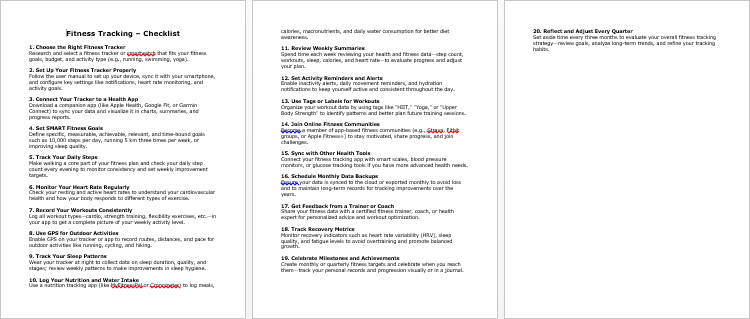
Fitness Tracking – Checklist
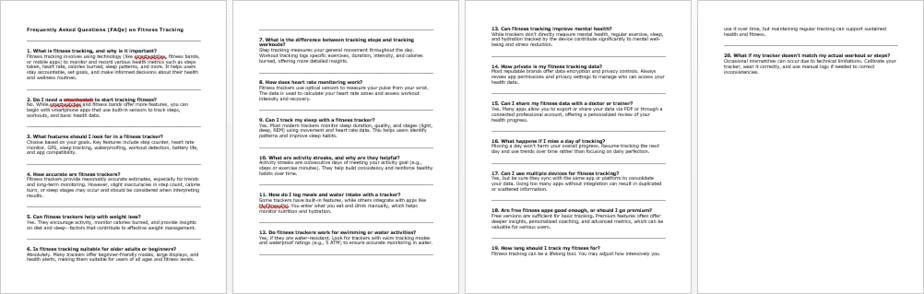
Fitness Tracking – FAQs
Fitness Tracking – Salespage Content
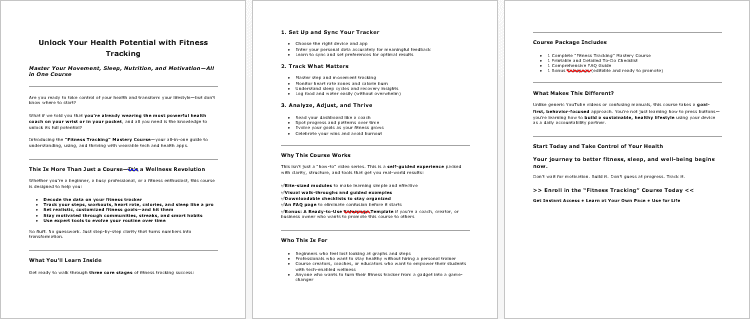
Package Details:
Word Count: 28 369 Words
Number of Pages: 118
Fitness Tracking – Bonus Content
Checklist
Word Count: 573 words
FAQs
Word Count: 732 words
Salespage Content
Word Count: 558 words
Total Word Count: 30 232 Words
Your PLR License Terms
PERMISSIONS: What Can You Do With These Materials?
Sell the content basically as it is (with some minor tweaks to make it “yours”).
If you are going to claim copyright to anything created with this content, then you must substantially change at 75% of the content to distinguish yourself from other licensees.
Break up the content into small portions to sell as individual reports for $10-$20 each.
Bundle the content with other existing content to create larger products for $47-$97 each.
Setup your own membership site with the content and generate monthly residual payments!
Take the content and convert it into a multiple-week “eclass” that you charge $297-$497 to access!
Use the content to create a “physical” product that you sell for premium prices!
Convert it to audios, videos, membership site content and more.
Excerpt and / or edit portions of the content to give away for free as blog posts, reports, etc. to use as lead magnets, incentives and more!
Create your own original product from it, set it up at a site and “flip” the site for megabucks!
RESTRICTIONS: What Can’t You Do With These Materials?
To protect the value of these products, you may not pass on the rights to your customers. This means that your customers may not have PLR rights or reprint / resell rights passed on to them.
You may not pass on any kind of licensing (PLR, reprint / resell, etc.) to ANY offer created from ANY PORTION OF this content that would allow additional people to sell or give away any portion of the content contained in this package.
You may not offer 100% commission to affiliates selling your version / copy of this product. The maximum affiliate commission you may pay out for offers created that include parts of this content is 75%.
You are not permitted to give the complete materials away in their current state for free – they must be sold. They must be excerpted and / or edited to be given away, unless otherwise noted. Example: You ARE permitted to excerpt portions of content for blog posts, lead magnets, etc.
You may not add this content to any part of an existing customer order that would not require them to make an additional purchase. (IE You cannot add it to a package, membership site, etc. that customers have ALREADY paid for.)
Share Now!
Latest Products




Free Sales Funnel Builder

Related Products

Popular & Trending


Featured Products