

AI for Productivity PLR Course 33k Words
in Artificial intelligence PLR , Artificial Intelligence PLR eBooks , PLR Checklists , PLR eBooks , PLR eCourses , PLR List Building Reports , Premium PLR , Premium PLR eBooks , Premium PLR Reports , Premium White Label Brandable PLR Coaching Courses , Private Label Rights Products , Productivity PLRChoose Your Desired Option(s)
has been added to your cart!
have been added to your cart!
#aiproductivity #plrcourse #digitalproducts #makemoneyonline #contentcreators #aiautomation #productivitytools #privatelabelrights #aiforbusiness
Work Smarter, Save Time, and Get More Done — Sell This Complete 33,000-Word Course as Your Own!
In a world where everyone is overloaded, overwhelmed, and struggling to keep up, one thing is becoming clear:
People don’t need more hours. They need smarter systems.
Artificial Intelligence is no longer “future tech.”
It’s here, and it’s transforming how entrepreneurs, professionals, students, and everyday people work.
Right now, millions of people are searching for ways to:
✔ Automate repetitive tasks
✔ Save time
✔ Improve efficiency
✔ Plan better
✔ Reduce burnout
✔ Boost productivity
✔ Get organized
✔ Work smarter, not harder
This creates a massive opportunity for YOU.
Introducing the…
🔥 AI for Productivity PLR Course (33k Words)
A complete, done-for-you training program that teaches people how to use AI tools to dramatically increase their productivity, automate daily tasks, make better decisions, and streamline their entire workflow.
This premium PLR package gives you a full educational course you can brand as your own—helping your customers finally get control of their time, energy, and results.
And YOU?
You get to profit from one of the fastest-growing niches in the world.
🤖 Why the AI Productivity Niche Is Booming (And Why You Must Be In It)
AI is no longer optional.
It’s essential.
Businesses are using it.
Marketers are using it.
Content creators are using it.
Students are using it.
Busy professionals are using it.
Freelancers are using it.
People who adopt AI early have a massive advantage.
People who don’t risk being left behind.
Right now, there is HUGE demand for:
✨ AI beginner training
✨ AI productivity systems
✨ AI workflow tutorials
✨ AI automation guidance
✨ AI for business growth
✨ AI for content creation
✨ AI for time management
This PLR course positions YOU as the expert who can help people upgrade their skills and transform their productivity.
📘 Inside the AI for Productivity Course
This comprehensive 5-module training program walks learners step-by-step from:
“I’m curious about AI…”
to
“AI now runs half my work for me!”
Each module includes 4 in-depth lessons crafted to be simple, actionable, and easy to implement—perfect for beginners and intermediate users.
Let’s look at what your customers will learn.
🧠 Module 1: Introduction to AI for Productivity
Understand AI, eliminate fear, and build a strong foundation
Learners start with a clear, approachable introduction to AI so they feel confident, not overwhelmed.
They’ll learn:
✔ What AI really is (in simple terms)
✔ The types of AI used for productivity
✔ What AI can and cannot do
✔ Myths and fears about AI
✔ Where they’re wasting time daily
✔ How AI can fill productivity gaps
✔ How to set goals for AI integration
This module builds excitement and confidence, setting your customers up for success.
⚙️ Module 2: AI Tools to Automate Repetitive Tasks
Unlock hours of free time by automating everyday work
This is where the magic happens.
Learners discover:
✔ AI email sorting, drafting, and scheduling
✔ Automated calendar management
✔ AI task-tracking systems
✔ AI-powered project management
✔ Document creation, editing, and summarizing
✔ Hands-free data entry
✔ AI-generated reporting
✔ The exact tasks they can automate immediately
Imagine someone saving 10+ hours a week—that’s life-changing.
This module shows them exactly how.
💡 Module 3: AI for Smarter Decision-Making
Let AI analyze, predict, and guide better choices
This module helps learners use AI to think faster and work more strategically by exploring:
✔ Automatic data analysis
✔ Predictive AI for forecasting outcomes
✔ AI brainstorming assistants
✔ Strategic planning with AI
✔ Productivity insights from AI habit tracking
Your customers will learn how to rely on AI as a decision-making partner, not just a productivity tool.
🗣️ Module 4: AI for Communication & Collaboration
Improve writing, teamwork, and customer interactions instantly
This module is packed with high-value tools and skills:
✔ AI writing assistants for emails, content, and reports
✔ AI meeting tools that take notes and create summaries
✔ Automated task assignment and workflow systems
✔ Customer service automation with a human touch
✔ Team collaboration powered by AI
This is the kind of training businesses will gladly pay for.
🚀 Module 5: Becoming an AI-Powered Productivity Pro
Build an AI toolkit, refine workflows, and stay ahead of the tech curve
Learners finish with long-term strategies to stay productive with AI for life:
✔ Build a customized AI productivity toolkit
✔ Combine multiple AI tools into smooth workflows
✔ Keep pace with AI innovations
✔ Measure progress and improve continuously
This is how your customers become irreplaceable in their jobs and businesses.
📦 What’s Included in Your PLR Package
This is not just a course—it’s a complete product ecosystem.
✔ Full 33,000-Word AI for Productivity Course
Professional, polished content written to educate, engage, and transform.
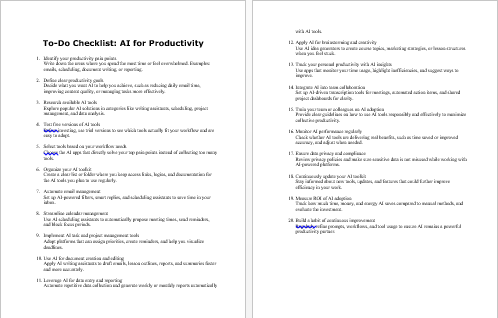
✔ AI for Productivity Checklist (468 Words)
A quick-start guide buyers can use daily.
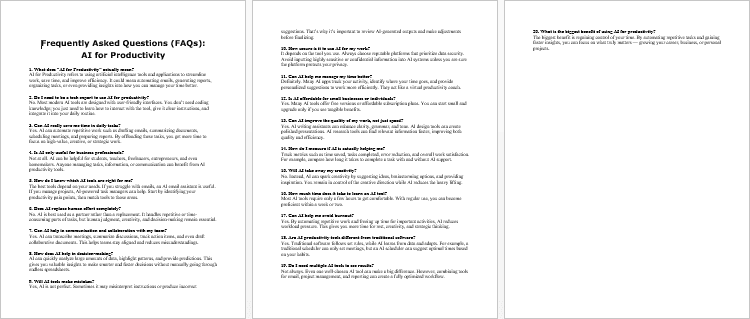
✔ AI for Productivity FAQs (797 Words)
Answers to common questions to improve clarity—and conversions.
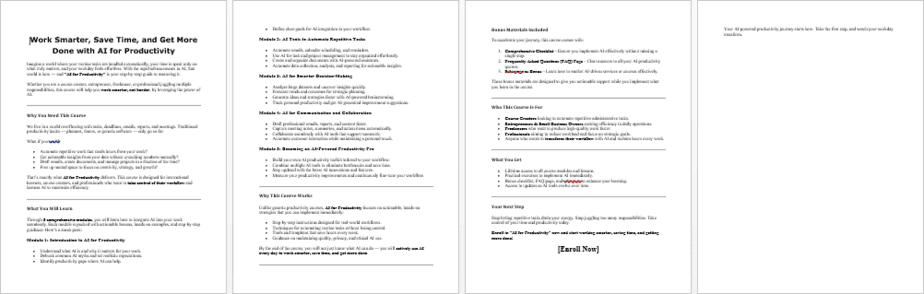
✔ AI for Productivity Sales Page (768 Words)
Done-for-you copy you can use instantly or customize.
Every file is fully editable so you can brand it as your own, rewrite it, or repurpose however you choose.
💰 How You Can Profit From This PLR Course
Here are dozens of ways to turn this course into multiple income streams:
Sell it as a complete course
Charge $27–$97 or more.
Turn it into a video course
Use the text as your script and charge $147–$497.
Create a membership
Deliver one module per week and bill subscribers monthly.
Bundle it with other productivity or business PLR products
Sell as a high-value bundle.
Turn lessons into ebooks, mini-courses, or reports
Sell each for $10–$20.
Use it as email content
Turn modules into an email training sequence.
Sell a printed version as a physical product
People love “manuals,” “blueprints,” and workbooks.
Turn it into a coaching program
Teach AI productivity and charge premium prices.
Create a 30-day AI productivity challenge
Challenges sell extremely well.
Use sections as blog posts, worksheets, or social content
Grow your authority and traffic.
Use it for webinars or workshops
Sell the replay—or the full course.
You’re not buying “content.”
You’re buying a business asset.
📜 Your Private Label Rights License
✔ You CAN:
Sell the course as your own
Edit, rewrite, or rebrand it
Turn it into video, audio, or physical books
Add it to your membership
Use it as blog posts or email content
Bundle it with other offers
Use it as a lead magnet (excerpted sections only)
Flip an entire website built from it
✘ You CANNOT:
Pass PLR rights to others
Sell resale or master resale rights
Give the unedited course away for free
Offer 100% affiliate commissions
Add it free into existing customer purchases
These rules protect your investment and keep the content valuable.
🔥 Why You Should Grab This Today
AI is the biggest shift since the invention of the internet.
People need guidance—and they will pay for it.
This course gives you:
✔ A full, done-for-you high-demand product
✔ Endless repurposing options
✔ Evergreen niche content
✔ Immediate revenue potential
✔ A huge market waiting to buy
If you want a profitable, future-proof digital asset that practically sells itself… this is it.
has been added to your cart!
have been added to your cart!
Here A Sample of AI for Productivity PLR Course
Module 1: Introduction to AI for Productivity
Objective: Understand what AI is, how it can help in daily work, and set the stage for using AI tools effectively.
Lesson 1: Email and Calendar Management
Point: Explore AI tools that automatically sort, respond, and schedule emails and meetings.
Introduction
Welcome to Module 2, where we begin exploring practical ways to apply AI in your daily work to automate repetitive tasks. One of the most time-consuming aspects of professional life is managing emails and calendars. Many course creators, entrepreneurs, and professionals spend hours every day reading, sorting, responding to emails, and scheduling meetings. These tasks are essential, but they are repetitive and can quickly drain your energy.
This lesson focuses on leveraging AI to handle these tasks efficiently. By integrating AI tools into your email and calendar workflow, you can reduce time spent on administrative work, minimize errors, and maintain better organization. The goal is to free your time for high-value activities such as content creation, strategy, and engagement with students or clients.
Step 1: Understanding the Challenges of Email and Calendar Management
Before exploring AI solutions, it is important to understand the common challenges associated with email and calendar management:
- Email Overload:
- Receiving a large volume of emails daily can make it difficult to prioritize important messages.
- Constantly checking emails interrupts focus and reduces productivity on deep work tasks.
- Time-Consuming Responses:
- Responding to routine inquiries or repetitive emails consumes significant time.
- Personalizing each response manually can be tedious, especially for frequently asked questions.
- Scheduling Conflicts:
- Coordinating meetings across multiple time zones, especially with international clients or students, can lead to confusion and errors.
- Manual scheduling often requires multiple emails and follow-ups.
- Lack of Organization:
- Without proper categorization or automation, important messages or tasks may be overlooked.
- Calendars may become cluttered with overlapping or mismanaged appointments.
Recognizing these challenges sets the stage for applying AI tools strategically. AI can reduce manual effort, streamline communication, and ensure better organization.
Step 2: How AI Assists in Email Management
AI can transform how you handle emails by automating sorting, prioritization, response generation, and follow-ups. Let’s break down the key functions:
- Email Sorting and Prioritization:
- AI tools can automatically categorize emails into folders such as important, promotional, or informational.
- Machine learning algorithms can learn from your past behavior to prioritize emails that need immediate attention.
- Automated Responses:
- AI can draft replies to routine or frequently asked questions.
- Templates can be customized based on your tone and style, ensuring consistent and professional communication.
- Smart Notifications:
- AI can alert you only when high-priority emails arrive, reducing interruptions from low-value messages.
- Example: Only notify for client inquiries or urgent internal communications.
- Follow-Up Reminders:
- AI can track emails that require responses and automatically remind you or draft follow-ups.
- This ensures that no important email is overlooked, improving reliability and communication efficiency.
Step-by-Step Reflection:
- Identify the top three types of emails that consume the most time in your workflow.
- Consider how AI could sort, respond to, or follow up on these emails automatically.
- Note any areas where personal input is essential to maintain professionalism or tone.
Step 3: How AI Assists in Calendar Management
AI tools can also optimize calendar management by automating scheduling, reminders, and meeting coordination:
- Automated Scheduling:
- AI can propose meeting times based on participants’ availability, avoiding the back-and-forth of manual scheduling.
- Some AI tools integrate across time zones, ensuring accurate scheduling for international participants.
- Conflict Resolution:
- AI can detect overlapping meetings or conflicting appointments and suggest alternative times.
- This reduces errors and ensures smoother workflow management.
- Reminders and Notifications:
- AI can send reminders for upcoming meetings, deadlines, or follow-ups.
- Users can customize alerts to prevent missed appointments without constant manual checking.
- Agenda Preparation:
- Advanced AI tools can review meeting content, emails, and previous discussions to provide a summary or suggest topics.
- This ensures more efficient and productive meetings with clear objectives.
Step-by-Step Reflection:
- List the most common scheduling challenges you face in your workflow.
- Determine which AI features—automatic time proposals, reminders, agenda suggestions—would save the most time.
- Consider how these tools could be integrated with your current calendar system.
Step 4: Selecting the Right AI Tools
Choosing the right AI tools for email and calendar management depends on your workflow, volume of communication, and level of automation desired. Here are key considerations:
- Integration with Existing Platforms:
- Select AI tools that seamlessly integrate with your current email client and calendar system.
- Example: Integration with Gmail, Outlook, or specialized project management tools ensures smooth adoption.
- Ease of Use:
- Choose tools that are user-friendly and require minimal setup.
- Avoid overly complex systems that consume more time than they save.
- Customization and Flexibility:
- Ensure AI can be tailored to match your workflow, communication style, and priorities.
- Look for options to adjust rules for sorting, auto-responses, and notifications.
- Security and Privacy:
- Evaluate the AI tool’s approach to data privacy and security, especially for sensitive communications or client information.
- Compliance with international standards ensures safe handling of personal and professional data.
Step-by-Step Reflection:
- Research AI tools that fit your email and calendar platforms.
- List three potential tools for trial, noting integration, features, and security considerations.
- Choose one tool to implement and test in your daily workflow.
Step 5: Implementing AI in Your Workflow
Once you have selected an AI tool, implementation requires a structured approach to ensure it enhances productivity rather than creating confusion.
Step-by-Step Instructions:
- Set Up Accounts and Integration:
- Connect your AI tool to your email client and calendar system.
- Ensure permissions are correctly configured for seamless operation.
- Define Rules and Preferences:
- Specify rules for sorting emails, priority levels, and auto-responses.
- Customize calendar preferences, including meeting time proposals, reminders, and notifications.
- Test with Small Workloads:
- Start by allowing AI to manage a subset of emails or meetings.
- Observe its performance, accuracy, and alignment with your workflow expectations.
- Refine Settings:
- Adjust AI parameters based on performance feedback.
- Fine-tune priority rules, response templates, or scheduling preferences for optimal efficiency.
- Expand Usage Gradually:
- Once the AI tool proves reliable, expand its scope to manage more emails, meetings, or complex scheduling tasks.
- Monitor performance continuously to ensure consistency and productivity gains.
Step 6: Monitoring and Measuring Productivity Gains
To ensure AI integration delivers meaningful results, it is essential to measure the impact on your workflow.
Step-by-Step Instructions:
- Track Time Saved:
- Record the time spent on emails and scheduling before and after AI implementation.
- Compare results weekly to quantify productivity gains.
- Evaluate Accuracy and Reliability:
- Review AI-generated email responses, calendar entries, and scheduling suggestions.
- Note errors, inconsistencies, or areas requiring manual intervention.
- Assess Stress Reduction:
- Reflect on whether AI reduces the cognitive load of managing routine tasks.
- Evaluate improvements in focus and availability for high-value activities.
- Adjust Goals and Tools:
- Use insights from monitoring to refine AI settings or explore additional tools.
- Continuously optimize your workflow for maximum efficiency.
Reflection Exercise:
- Create a table to track metrics such as time saved, error rate, and focus improvement.
- Use these insights to refine AI rules, templates, and scheduling preferences.
Step 7: Best Practices for AI Email and Calendar Management
To maximize the benefits of AI tools, follow these best practices:
- Maintain Human Oversight:
- Review critical emails and important calendar decisions before finalizing.
- Ensure AI does not compromise quality, tone, or professionalism.
- Regularly Update AI Preferences:
- Adjust templates, sorting rules, and scheduling preferences based on evolving workflows.
- Protect Data Privacy:
- Ensure sensitive client or student information is handled securely.
- Periodically review security and compliance settings.
- Combine AI with Time-Blocking:
- Allocate focused blocks of time for deep work, allowing AI to handle routine tasks concurrently.
- Continuous Learning:
- Stay updated on new AI features and tools that can further enhance email and calendar productivity.
Step 8: Practical Exercise
To implement today’s lesson effectively:
- Identify your top three email and calendar challenges.
- Select an AI tool that addresses these challenges.
- Define rules for sorting emails, auto-responses, and scheduling preferences.
- Test the AI tool with a small workload and monitor its performance.
- Track time saved, errors reduced, and overall workflow improvements over one week.
- Adjust AI settings and expand its usage based on your observations.
This exercise ensures that AI is integrated thoughtfully, delivering measurable productivity improvements while allowing you to focus on high-value tasks.
Conclusion
Email and calendar management are among the most repetitive and time-consuming tasks professionals face. By leveraging AI tools, you can automate sorting, responses, and scheduling, freeing up hours each week.
For international course creators, AI-driven email and calendar management provides several benefits:
- Reduces time spent on routine communication.
- Minimizes scheduling errors and conflicts.
- Enhances focus on content creation, strategy, and student engagement.
- Ensures timely follow-ups and professional communication without manual effort.
By understanding challenges, selecting the right tools, implementing systematically, and monitoring results, AI can transform how you manage email and calendars, allowing you to work smarter and get more done.
Lesson 2 — AI Myths and Realities
Point: Debunk common misconceptions about AI and understand realistic expectations.
Introduction
Welcome to Lesson 2. As an international course creator, you will hear many strong claims about artificial intelligence — some accurate, many exaggerated. Separating myths from realities is essential so you can adopt AI sensibly and avoid wasted effort or misplaced fears. In this lesson we will unpack the most persistent myths about AI, present the grounded realities, and give you clear, step-by-step guidance to form practical expectations for integrating AI into your work. The goal is to equip you with critical thinking tools so you deploy AI where it truly helps you work smarter, save time, and produce better results.
Step 1 — Establish the right mindset
Before addressing specific myths, adopt this baseline mindset:
- Treat AI as a tool, not an oracle.
- Expect incremental improvements, not overnight miracles.
- Combine AI outputs with human judgment and context.
- Prioritise safety, privacy, and quality over hype.
Why this matters: if you start with a realistic mindset you will choose tools strategically, measure outcomes properly, and keep control over the learning experience you deliver to students around the world.
Step 2 — Myth: “AI can do any job a human can do”
What people say: AI will replace humans in every role, including teaching, coaching, and creative work.
Reality: Current AI systems excel at narrow, well-specified tasks. They can summarize text, generate drafts, classify content, detect patterns, and automate repetitive processes. They are not general human intelligence: they lack authentic understanding, moral reasoning, and deep contextual judgement.
Practical implications for course creators:
- Use AI to automate routine or time-consuming parts of your workflow (for example, transcript cleanup, first drafts, or data summaries).
- Retain human oversight for pedagogy, nuance, ethics, and learner relationships.
- Frame AI as a productivity amplifier — not a replacement for your expertise.
Action steps:
- List tasks you perform weekly. Mark which are routine and which require judgment.
- Pilot AI on 1–2 routine tasks first (e.g., auto-transcribing lectures).
- Keep a manual review step to validate quality.
Step 3 — Myth: “AI is only for big companies or programmers”
What people say: Small teams or solo creators can’t use AI effectively because it’s too technical or costly.
Reality: Many AI tools today are SaaS products with user interfaces, prebuilt integrations, and affordable tiers. You don’t need to code to benefit. What you do need is clarity about the problem you want to solve.
Practical implications for course creators:
- Affordable, no-code tools can speed up content production, moderation, and student support.
- Focus on ROI: small monthly costs can free hours of time.
Action steps:
- Identify low-cost or free trials of AI tools that match your top productivity gaps.
- Run a two-week trial with clear metrics (time saved, number of drafts produced, response rate).
- Decide whether to scale based on results.
Step 4 — Myth: “AI outputs are always correct”
What people say: If an AI produces text or an analysis, it should be trusted.
Reality: AI models can and do make mistakes: hallucinations, factual errors, biases, and context misreads. Their reliability depends on data, prompt quality, and the model’s domain fit.
Practical implications for course creators:
- Always verify AI-generated lessons, quiz questions, or factual claims.
- Use AI to draft, then edit thoroughly to match your voice and standards.
- Keep a revision checklist for any AI output before publishing to students.
Action steps:
- Create a verification protocol: fact-check, tone-check, and alignment with learning outcomes.
- Assign a single person (you or a trusted editor) to perform final QA.
- Keep a short log of AI errors you encounter to refine prompts and tool selection.
Step 5 — Myth: “AI understands emotions and context like a human”
What people say: AI can empathize and interpret subtle cultural cues the same way humans do.
Reality: AI can simulate empathetic responses based on patterns in data, but it does not genuinely experience or understand emotions. Cultural nuance, tone, and learner sensitivities are easily misread.
Practical implications for course creators:
- Use AI for scripted or routine student interactions (e.g., logistical emails), but prefer human responses for mentorship, assessment feedback, or conflict resolution.
- Localise AI outputs carefully when teaching across cultures and languages.
Action steps:
- When using AI for communication, include an “edit for culture and tone” step.
- Test AI messages with representatives from your target learner groups to spot misinterpretations.
- Keep sensitive or high-impact communication strictly human-reviewed.
Step 6 — Myth: “AI will destroy creativity”
What people say: Relying on AI makes content formulaic and drains original ideas.
Reality: AI can support creativity by removing friction and offering suggestions, prompts, or first drafts. It is a collaborator that can unlock creative time when used properly.
Practical implications for course creators:
- Use AI to generate variants, brainstorm module titles, or draft outlines, then apply your unique perspective to refine and elevate content.
- Treat AI suggestions as raw material rather than final creative work.
Action steps:
- Run an “AI brainstorm” session: get 10–20 ideas, then choose and adapt 2–3 originals.
- Preserve authorship: always add your signature teaching style and examples.
- Document what you change in AI drafts to capture how you add value.
Step 7 — Myth: “AI is a privacy-free zone”
What people say: You can freely upload content and student data into any AI tool.
Reality: Not all AI tools have equivalent privacy standards. Uploading sensitive learner data without consent or without reviewing the tool’s terms can create compliance and reputation risks.
Practical implications for course creators:
- Review privacy policies and data handling procedures of any AI tool you use.
- Anonymize or avoid uploading personally identifiable student information unless you have consent and a secure platform.
Action steps:
- Create a simple checklist for vendor privacy: data retention, sharing, encryption, and GDPR/region compliance.
- Avoid uploading assessments or student records to tools that store or reuse data by default.
- Inform learners about any AI features that process their data and obtain consent where required.
Step 8 — Myth: “AI integration is a one-time project”
What people say: You set up AI once and it runs forever.
Reality: AI tools and needs evolve. Models change, learners’ needs shift, and workflows are refined. Continuous monitoring and periodic updates are necessary for sustained benefit.
Practical implications for course creators:
- Treat AI integration as an iterative process: pilot, measure, refine, scale.
- Schedule periodic reviews to track outcomes and update prompts, templates, or tools.
Action steps:
- Define quarterly review checkpoints for each AI tool you adopt.
- Track a small set of metrics (time saved, learner satisfaction, error rate).
- Update prompts and training materials based on logged issues and new features.
Step 9 — Quick reality checklist for course creators
Use this checklist to judge AI claims and tools quickly:
- Does the tool solve a clearly identified problem in your workflow?
- Are you able to verify and correct AI outputs before publishing?
- Is student privacy protected and permissions documented?
- Can the tool be customised to your teaching style and localisation needs?
- Do you have metrics to measure whether the tool actually saves time or improves outcomes?
If you answer “no” to more than one item, pause and re-evaluate the tool or approach.
Step 10 — Reflection exercise
- Write down three AI myths you have personally believed or encountered among peers.
- Next to each myth, write the factual reality and one practical action you will take this week to align practice with reality.
- Choose one routine task in your workflow to pilot with an AI tool. Define how you will verify quality and measure time saved over two weeks.
This exercise converts understanding into practical behaviour.
Conclusion
Debunking myths about AI is not an academic exercise — it is foundational to using AI effectively as an international course creator. When you hold realistic expectations, prioritise privacy and quality, and combine AI with human expertise, you create workflows that scale while preserving the educational value learners expect. Use AI to automate the mundane, accelerate research, and prototype creative ideas — but keep pedagogy, nuance, and learner trust firmly in human hands.
Proceed thoughtfully: test small, measure outcomes, and iterate. That approach will let AI become a reliable partner that helps you work smarter, save time, and get more done.
Lesson 3: Identifying Productivity Gaps
Point: Discover where you lose time in your work and how AI can fill these gaps.
Introduction
This lesson is all about clarity. Before you bring AI into your workflow, you need to know exactly where you are losing time, energy, or focus. Identifying productivity gaps is a practical diagnostic exercise: map your day, measure the leaks, prioritise the biggest drains, and then match AI interventions to the places that actually move the needle.
The instructions below are written step-by-step so you can run the exercise yourself or use it with a team. It is aimed at international course creators, so examples cover content creation, student support, marketing, and administration. No hype — just a structured path from awareness to action.
Step 1 — Define what a “productivity gap” looks like for you
Start with a short working definition you can use consistently.
- A productivity gap is any task, habit or process that consumes time or resources but delivers little proportional value to your goals.
- It appears as repetitive effort, constant context switching, long feedback loops, duplicated work, or delays caused by waiting for manual inputs.
Action: Write one sentence that defines your biggest productivity frustration right now. Example: “I spend too much time responding to the same student questions instead of creating new lessons.”
Step 2 — Map a typical week (workflow mapping)
You cannot improve what you do not measure. Create a simple map of an average workweek.
- On a blank page or spreadsheet, list each workday and all tasks you typically perform (content planning, recording, editing, replying to messages, marketing, bookkeeping, meetings).
- For each task, note: estimated frequency (daily/weekly/monthly), typical duration, whether it’s routine or decision-heavy, and whether other people depend on it.
Example row:
- Task: Student support messages
- Frequency: Daily
- Duration: 90 minutes average / day
- Type: Routine / requires tone judgement
- Dependencies: Students waiting for feedback
Action: Complete the map for one full week.
Step 3 — Time-track and gather evidence
Estimates are useful, but data is better. Track actual time for one to two weeks.
- Use a simple timer or time-tracking app to log start and stop times for each task. If you prefer pen and paper, note the start/end times.
- Include interruptions: short checks of email, unexpected calls, quick “just one thing” tasks — these add up.
- At the end of each day, total time per task and capture a short note: “What slowed this down?” or “Why did this take longer today?”
After one week you will have a reliable baseline.
Tip: If you want a quick audit, track for three working days; for more robust decisions, track for two full weeks.
Step 4 — Identify and categorise gaps
Now convert raw time data into categories. Use these five common categories:
- Repetitive tasks — routine actions repeated often (email replies, formatting documents).
- Context switching — frequent interruptions and app switching that degrade focus.
- Information overload — time spent searching for documents, references, or student data.
- Bottlenecks & waiting — tasks delayed because you wait for approvals, files, or collaborators.
- Skill/quality gaps — time lost correcting avoidable errors or learning new tools on the fly.
Action: For each task from your map, assign one category. Then compute total time per category for the tracked period.
Step 5 — Quantify impact and opportunity cost
Understanding how much a gap costs you makes prioritisation rational.
- Sum the hours lost per category over your tracking period. Example: 10 hours/week on repetitive tasks.
- Convert hours into opportunity cost using a simple rate. If you value your time at $30 per hour, then 10 hours × $30 = $300 per week. (Write your rate or leave it as “time reclaimed”.)
If you need to show this as a calculation:
- Hours lost = 10
- Hourly value = $30
- Opportunity cost = 10 × 30 = 300
- Note secondary costs: stress, missed deadlines, poor learner experience.
Action: Create a short table: Category | Hours/week | Opportunity cost | Priority (High/Medium/Low).
Step 6 — Prioritise the gaps to address first
Not every gap should be solved immediately. Prioritise based on three factors:
- Impact — hours saved or quality improvement gained.
- Effort — time, money, or complexity to fix.
- Risk — data privacy, learner experience, or compliance concerns.
Use a simple 2×2 grid in your notebook: Impact on the vertical axis, Effort on the horizontal axis. Focus first on high impact / low effort items — these are quick wins you can automate with AI.
Action: Mark the top two priority gaps you will address in the next 30 days.
Step 7 — Match AI solutions to gap types
With priorities set, match AI capabilities to gap categories. Below are common mappings and practical examples for course creators.
- Repetitive tasks → Automation & templates
- Use AI to draft routine messages, auto-format course materials, generate summaries of lectures, or prefill student progress updates.
- Context switching → Smart routing & batching
- Use an AI assistant to triage messages and present only high-priority items during focus blocks; batch notifications so you uninterruptedly work on content.
- Information overload → Summarisation & search
- Employ AI summarisation for long forum threads, research papers, or student submissions to surface key points quickly.
- Bottlenecks → Task automation & reminders
- Automate follow-ups, scheduling, and file collection via AI workflows to reduce waiting time.
- Skill gaps → Guided templates & assistive tools
- Use AI editors, caption generators, or adaptive content templates to reduce time spent on formatting and technical fixes.
Action: For each priority gap, write one concrete AI intervention (e.g., “Use AI to draft first responses to student FAQs, reviewed and personalised by me.”).
Step 8 — Design a two-week pilot
Rather than wholesale change, run a focused pilot to test assumptions.
- Pilot scope: Choose one high-priority gap and one AI tool or workflow. Keep scope small.
- Outcome metrics: Decide what you will measure (time saved, number of messages handled, student satisfaction rating).
- Baseline: Use your time-tracking baseline for comparison.
- Duration: Two weeks is long enough to gather meaningful data.
- Evaluation: At pilot end, compare metrics to baseline, record issues, and collect qualitative feedback (your own and learners’).
Action: Write a 5-point pilot plan: goal, tool, metric, timeline, review method.
Step 9 — Build a monitoring and iteration routine
AI rarely plugs in and forgets. Create a lightweight routine:
- Daily quick-check (5 min): Scan AI outputs for obvious errors or tone mismatches.
- Weekly review (20–30 min): Compare time saved vs baseline; list glitches and improvements.
- Monthly update (30–60 min): Reassess priorities, refine prompts, or expand the automation scope.
Keep a small log — date, change made, outcome — so you learn faster and avoid regressions.
Action: Block these review sessions in your calendar right away.
Step 10 — Guardrails: quality, privacy, and empathy
When AI touches student experience, add guardrails.
- Quality: Always review AI content that impacts learning outcomes (quiz questions, feedback). Treat AI output as a first draft.
- Privacy: Never upload identifiable student data to tools without consent and a clear data policy. Mask or anonymise when possible.
- Empathy: Use humans for sensitive or high-impact communications (grades, disputes, personal coaching).
Action: Draft a short policy statement you will follow when using AI with learners (1 paragraph is enough).
Practical templates you can use now
- Simple Time-Tracking Table: Date | Task | Start | End | Duration | Notes.
- Priority Matrix: Task | Category | Hours/week | Effort (1–5) | Impact (1–5) | Priority.
- Pilot Plan Template: Goal | Tool | Steps | Metric | Baseline | Duration | Outcome.
Populate these templates during your next working day.
Reflection exercise (do this now)
- From your workflow map, pick the single task that wastes the most time.
- Calculate hours per week spent on it and estimate the opportunity cost.
- Describe one AI-driven pilot you could run this week to reduce that time. Keep it small and measurable.
Conclusion
Identifying productivity gaps is not a one-off audit; it is the foundation for strategic automation. The clearer your mapping and prioritisation, the more precisely you can apply AI where it matters. Start with evidence, pilot conservatively, measure the outcomes, and keep human judgement where it counts. When you follow these steps, you will convert vague frustration into clear, trackable improvements — and reclaim time for the creative, strategic work that only you can do.
Lesson 4 — Setting Goals for AI Integration
Point: Define clear goals on what you want to achieve with AI in your workflow.
Introduction
This lesson turns intention into a plan. You know what AI can do and where your productivity leaks are. Now you will learn how to set clear, practical goals for integrating AI so it delivers measurable value. Good goals keep projects focused, reduce wasted experimentation, and make it easy to test, measure, and scale what works.
The instructions below are written step-by-step so you can implement them immediately. They are tailored for international course creators juggling content production, student support, marketing, and administration across time zones.
Step 1 — Start with outcomes, not tools
Too often people choose a tool first and then try to justify it. Flip that process: decide what outcome you want, then choose the AI approach that delivers it.
- Write down the top three outcomes you want from AI in plain language. Example outcomes:
- “Reduce time spent on routine student queries.”
- “Produce first-draft lesson scripts twice as fast.”
- “Improve on-time assignment feedback from 3 days to 24 hours.”
- For each outcome, add why it matters—student satisfaction, revenue, more time for course development, or reduced burnout.
- Prioritise outcomes by impact. Which outcome, if achieved, would most improve your work or business?
Why: outcomes focus your experiments and provide a clear success signal.
Step 2 — Translate outcomes into SMART goals
Convert each priority outcome into a SMART goal: Specific, Measurable, Achievable, Relevant, Time-bound.
Use this template for each goal:
- Specific: What exactly will change?
- Measurable: How will you measure success?
- Achievable: Is the goal realistic with current resources?
- Relevant: Does it connect to your main objectives?
- Time-bound: When will you evaluate it?
Example SMART goal
- Specific: Use an AI assistant to draft replies for common student questions.
- Measurable: Reduce time spent on inbox replies from 90 minutes/day to 30 minutes/day.
- Achievable: Implement templates and a review step; one week of prompt tuning.
- Relevant: Frees time to create new lessons.
- Time-bound: Pilot for four weeks and evaluate.
Write each SMART goal in one sentence and place the metric and deadline on the same line.
Step 3 — Define baseline metrics
You cannot measure improvement without a clear baseline. For each SMART goal, capture a baseline now.
- Choose 2–3 metrics per goal. Common metrics:
- Time (hours per day or week).
- Error rate (number of corrections needed).
- Throughput (modules produced per month).
- Learner experience (NPS, satisfaction rating, or response time).
- Record the current values. Example: “Current average reply time to student messages: 6 hours; time spent on replies: 90 minutes per day.”
- Keep a simple spreadsheet with columns: Goal | Metric | Baseline | Target | Measurement Frequency.
Small arithmetic example (showing steps):
- Baseline time = 90 minutes per day.
- Target time = 30 minutes per day.
- Time saved per day = 90 − 30 = 60 minutes.
- If you work 5 days per week: weekly time saved = 60 × 5 = 300 minutes.
- Convert to hours: 300 ÷ 60 = 5 hours saved per week.
Document these steps so you can compare after the pilot.
Step 4 — Break each goal into actionable steps
A big goal becomes achievable when broken into small tasks. For each SMART goal, create a mini project plan.
Use this structure:
- Task list — actions needed to reach the goal.
- Owner — who will do each task (you, an assistant, or contractor).
- Duration — expected time to complete each task.
- Milestones — checkpoints to evaluate progress.
Example plan for “automate student query replies”:
- Task 1: Collect the 20 most frequent student questions (Owner: you, Duration: 2 hours).
- Task 2: Draft templates and tone guidelines (Owner: you, Duration: 3 hours).
- Task 3: Configure AI tool and integrate with inbox (Owner: assistant / vendor, Duration: 4 hours).
- Task 4: Pilot with 25% of incoming queries and review daily (Owner: you, Duration: 2 weeks).
- Milestone: After week 1, time spent on replies reduced by at least 25%.
Keep tasks small enough to complete in a few hours or a single day.
Step 5 — Choose the right success metrics and cadence
Decide how often you will measure and what success looks like.
- Measurement cadence: daily for inbox automation during pilot, weekly for content production, monthly for broader changes.
- Primary and secondary metrics: Choose one primary metric (time saved) and up to two secondary metrics (error rate, learner satisfaction).
- Minimum success threshold: Define a threshold that justifies scaling. Example: “If time on replies is reduced by ≥50% and student satisfaction remains ≥4/5, expand automation.”
Write these decisions into your plan so evaluation is objective.
Step 6 — Plan a short pilot with clear boundaries
Run a controlled experiment before full adoption.
- Scope: narrow the pilot to one course, one module, or a subset of messages.
- Duration: typically 2–4 weeks provides good insight.
- Sample size: large enough to be meaningful but small enough to limit disruption (for inbox, 20–30% of messages; for content drafts, 1–2 modules).
- Roles: who reviews outputs, who logs failures, who communicates with learners about the pilot if necessary.
Document the start and end date and what “success” means at the end of the pilot.
Step 7 — Prepare governance and guardrails
When AI affects student experience or data, governance matters.
- Quality control: define mandatory human review steps for outputs that affect learning outcomes (quiz items, assessment feedback).
- Privacy: state what data can be processed by third-party tools and when student consent is required.
- Error-handling: decide who fixes an AI error and how quickly it is corrected.
- Ethics and fairness: check for bias in AI outputs, especially in assessment or recommendation tasks.
Write a short policy (3–5 bullet points) you will follow for every AI workflow you deploy.
Step 8 — Build a feedback and iteration loop
Treat AI integration like product development: measure, learn, iterate.
- Daily quick reviews during the pilot: log glaring issues and tone or factual errors.
- Weekly metrics review: compare metrics to baseline and note any trends.
- Learner feedback: include a short prompt for students to rate AI-assisted responses or content.
- Iteration: refine prompts, templates, or tool settings based on feedback and re-run the test.
Keep a changelog: Date | Change made | Reason | Effect on metrics.
Step 9 — Estimate ROI and decide scale
Quantify the benefit and compare to costs.
- Calculate time saved per week (see Step 3 example).
- Multiply by your hourly value or the cost of a substitute (assistant or editor).
- Compare to monthly subscription or implementation costs.
Example numeric steps:
- Hours saved per week = 5 (from earlier).
- Hourly value = $30.
- Weekly monetary benefit = 5 × 30 = 150.
- Monthly benefit (approx.) = 150 × 4 = 600.
- If AI tool costs $50 / month, net monthly gain = 600 − 50 = 550.
This clear arithmetic helps decide whether to scale.
Step 10 — Scale thoughtfully and institutionalise
If the pilot meets success criteria, scale in controlled phases.
- Expand scope stepwise: from 25% to 50% to full automation, monitoring metrics at each phase.
- Train team members on prompts, review standards, and escalation paths.
- Add the AI workflow to your operations manual and include a short training video or checklist.
- Schedule quarterly reviews to reassess tools, metrics, and emerging needs.
Institutionalising practices prevents drift and keeps quality consistent as you grow.
Reflection exercise (do this now)
- Pick one productivity gap you previously mapped.
- Write a single SMART goal for AI integration that addresses that gap.
- List baseline metric(s) and calculate expected weekly time savings.
- Draft a 2–4 week pilot plan with tasks, owner, and success criteria.
Put this in your calendar: set the pilot start date and a review meeting at the end.
Conclusion
Goal setting turns ideas into measurable action. By choosing outcomes first, using SMART criteria, establishing baselines, running narrow pilots, and building governance and iteration into your process, you make AI integration a predictable, low-risk path to real productivity gains.
Keep goals specific, keep metrics simple, and keep humans firmly in the loop where judgment, empathy, and pedagogy matter most. This disciplined approach will let AI save time while you focus on the higher-value work only you can do.
We’re also giving these extra bonuses
AI for Productivity – Checklist
AI for Productivity – FAQs
AI for Productivity – Salespage Content
Package Details:
Word Count: 31 076 Words
Number of Pages: 134
AI for Productivity – Bonus Content
Checklist
Word Count: 468 words
FAQs
Word Count: 797 words
Salespage Content
Word Count: 768 words
Total Word Count: 33 109 Words
Your PLR License Terms
PERMISSIONS: What Can You Do With These Materials?
Sell the content basically as it is (with some minor tweaks to make it “yours”).
If you are going to claim copyright to anything created with this content, then you must substantially change at 75% of the content to distinguish yourself from other licensees.
Break up the content into small portions to sell as individual reports for $10-$20 each.
Bundle the content with other existing content to create larger products for $47-$97 each.
Setup your own membership site with the content and generate monthly residual payments!
Take the content and convert it into a multiple-week “eclass” that you charge $297-$497 to access!
Use the content to create a “physical” product that you sell for premium prices!
Convert it to audios, videos, membership site content and more.
Excerpt and / or edit portions of the content to give away for free as blog posts, reports, etc. to use as lead magnets, incentives and more!
Create your own original product from it, set it up at a site and “flip” the site for megabucks!
RESTRICTIONS: What Can’t You Do With These Materials?
To protect the value of these products, you may not pass on the rights to your customers. This means that your customers may not have PLR rights or reprint / resell rights passed on to them.
You may not pass on any kind of licensing (PLR, reprint / resell, etc.) to ANY offer created from ANY PORTION OF this content that would allow additional people to sell or give away any portion of the content contained in this package.
You may not offer 100% commission to affiliates selling your version / copy of this product. The maximum affiliate commission you may pay out for offers created that include parts of this content is 75%.
You are not permitted to give the complete materials away in their current state for free – they must be sold. They must be excerpted and / or edited to be given away, unless otherwise noted. Example: You ARE permitted to excerpt portions of content for blog posts, lead magnets, etc.
You may not add this content to any part of an existing customer order that would not require them to make an additional purchase. (IE You cannot add it to a package, membership site, etc. that customers have ALREADY paid for.)
Share Now!
Latest Products





Free Sales Funnel Builder

Related Products

Popular & Trending



Featured Products